Building a better counting app

Last week I was in a pub having drinks with some friends when we decided to play a little cribbage. Crib is a great card game – it’s fun and fast-paced, it works well with anywhere between 2 and 4 players, and you can finish a round in about a half-hour. It’s pretty much the perfect card game.

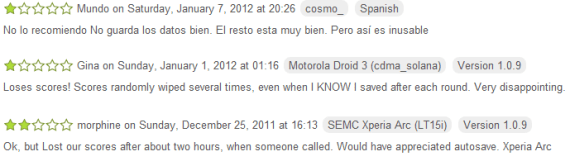
We didn’t have any pens or paper to keep score, though, so we turned to the Android Market to try to find a good scoring application. The first one we tried out, Score, crashed on us halfway through without saving our game. The second, Scorer, was workable but awkward. In the end, we were able to score our game, but it would have been much easier to just use pen and paper. Something about that struck me as wrong – this is the 21st century! Why can’t my damned smartphone keep score?

I like thinking about user interface problems, so I followed this rabbit hole all the way to the end. I tested the most popular scoring apps on the Android Market, found them all to be underwhelming, and then finally wrote my own. My app, KeepScore, only took one weekend to write, but I think it’s already better and more usable than every other scoring app on the Market.

KeepScore

What makes it better? My first advantage is simple hindsight. Since the other apps came out first, I was able to test them and see which design decisions worked and which ones didn’t. I remembered the frustrations that came with our impromptu game of cribbage: I pressed the wrong button! It didn’t save our scores! The screen fell asleep! Based on this experience, I knew what to avoid in KeepScore.

My second advantage is that I read and applied the principles in Joel Spolsky’s User Interface Design for Programmers. I mention this book a lot in my blog, but I just can’t emphasize enough how reading it can help make you a better UI designer. If there were two principles from this book that I wish every app developer would follow, it’s these:

  1. Assume your users are illiterate. They won’t read anything.
  2. Assume your users have big, fat thumbs. They can’t press anything accurately.

I won’t try to justify these principles here, because I think I already did a decent job in this post. Instead, I’m just going to review each app in turn and show how KeepScore improves upon them.

Score

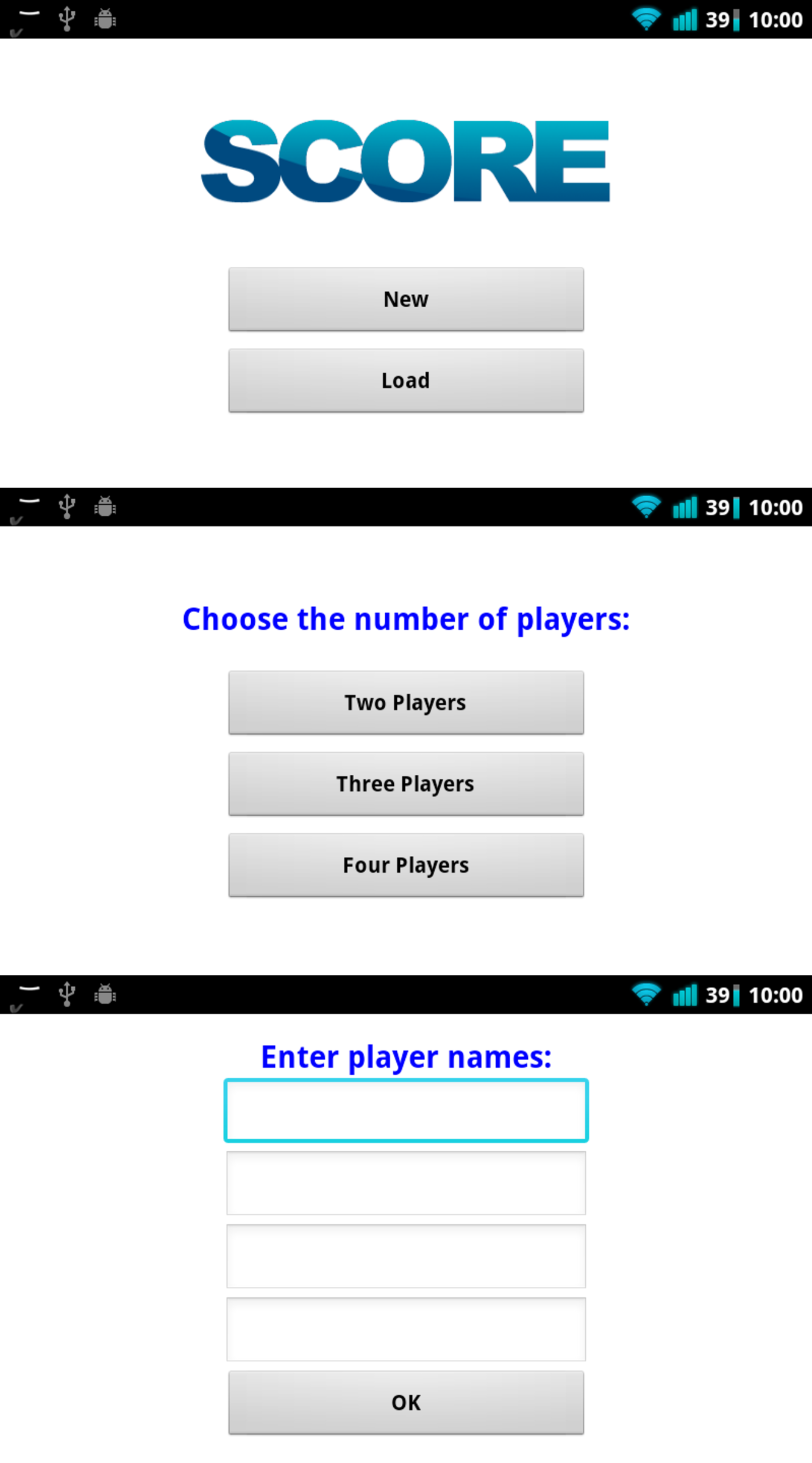
Score is actually a decent app, and it’s where I got most of my inspiration for the design of KeepScore. The “new game” wizard in particular is a great idea – it’s simple, it’s intuitive, and it allows you to start up a game in seconds. However, Score suffers from a few flaws that make it nigh-unusable:

  1. The screen doesn’t stay awake. In a game like cribbage, where you need to update someone’s score every 20-60 seconds, this is unacceptable. When we played, the game kept grinding to a halt every time the phone fell asleep.
  2. The game doesn’t save automatically. My friends aren’t used to my Nexus One, so they kept accidentally hitting the home key or the back key. Each time, we would have to enter all our scores again.
  3. The buttons are too close together. When your users are going to be juggling a handful of cards or game pieces while simultaneously trying to guide a finger towards the smartphone screen, there’s no reason to bunch up the buttons so close together. In Score, it’s easy to accidentally decrement one player’s tally when you meant to increment another’s.

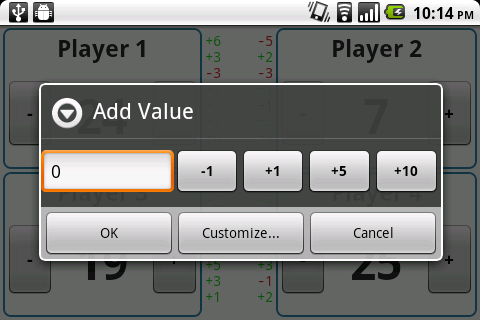
On top of this, Score just seems to suffer from sloppy execution. When you long-press on the “+” or “-” button, you get a popup allowing you to add a custom value, but it actually adds one less than whatever you enter. Many users have complained about this in the Android Market comments, but the dev doesn’t seem to have gotten the memo.

Scorer

Like Score, Scorer is a mix of good design and bad design. One feature I really like is the configurable buttons at the bottom – they make it easy to add large numbers to a player’s score (e.g. to add 12, press “+10” once and “+1” twice). Another highlight is the green and red increment markers next to each player’s name, which make it easy to see how much you’ve already added to someone’s score. (I borrowed both ideas for KeepScore.) Scorer also keeps the screen awake and saves automatically, although unfortunately it can’t save more than one game at a time.

Scorer’s biggest flaw, though, is just its basic layout design. Rather than having separate buttons for each user, Scorer requires you to tap a player’s name before altering their score. This doesn’t sound like a big deal, but in practice it makes scoring very cumbersome. When playing cribbage, my friends and I would often accidentally add a score to the wrong player, and then we would have to figure out how much we added, backtrack, and add it to the correct player.

Another problem is that the green/red markers only “commit” if you press the OK button. So if we wanted to make sure we could backtrack the correct amount, we’d have to keep pressing OK to add the score in. This meant at least three touches were required just to update a player’s score! Tap, tap, tap. It doesn’t sound like much, but it’s a minor inconvenience that adds up over the course of a game.

Advanced Tally Counter

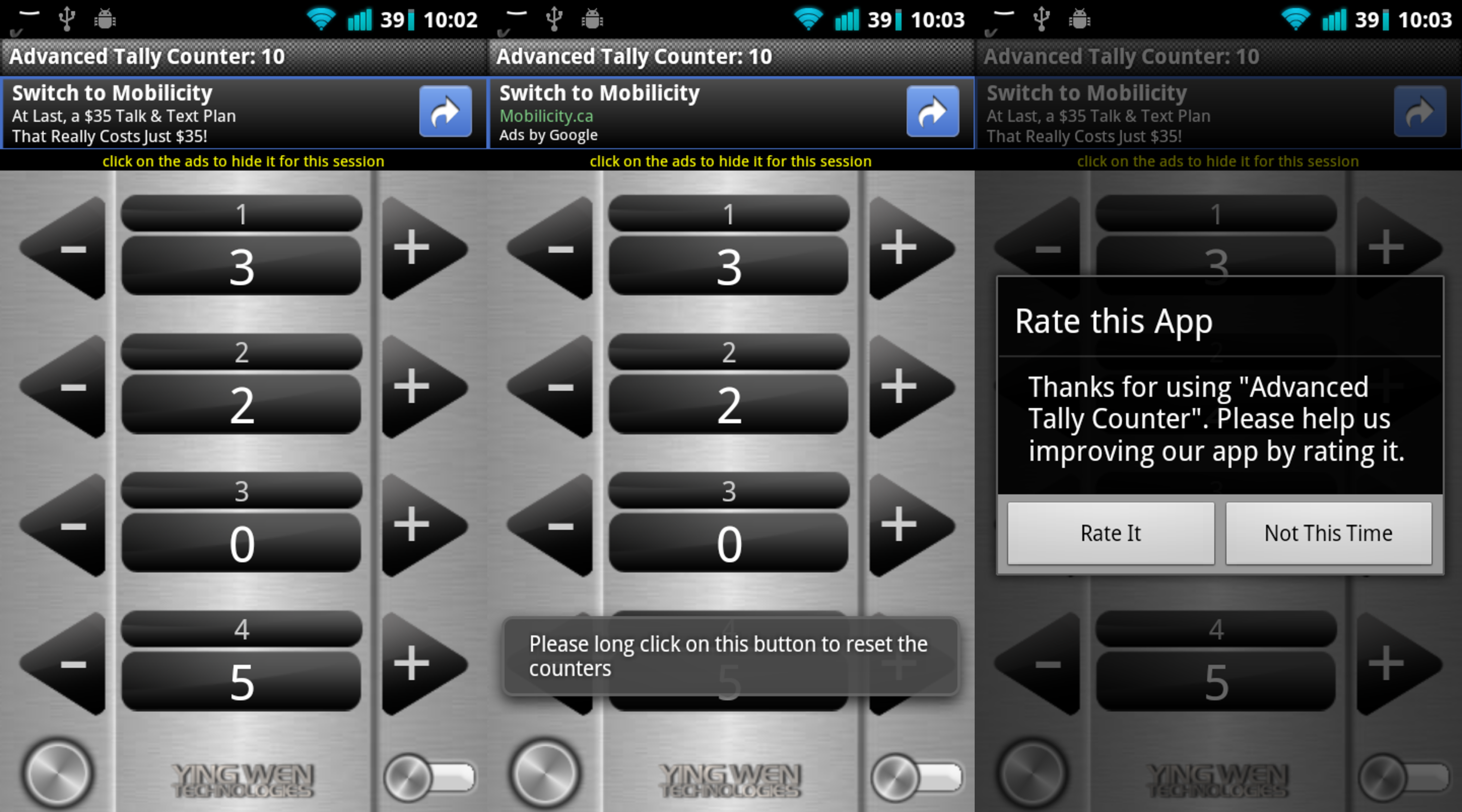
I’m not even sure where to start with this one. This is a good example of the kind of graphic design I really hate: the developer has gone out of his way to deviate from the basic Android themes, and the result is an ugly and distracting presentation. On top of that, the app is very wordy and heavy on explanations. Touch the big button in the corner, and you’ll see a toast saying, “Please long click on this button to reset the counters.” Touch the back button and you’ll see “Press back again to exit the app.” Touch back twice and you’ll get a popup asking you to rate the app before you exit. Start up the app for the first time and you’ll get a popup asking you to download another app. And of course, there’s an ad banner over the top. The app seems determined to direct your attention toward everything except just keeping score.

Other than that, the app is pretty basic. Press “+” to increment by one, and press “-” to decrement. There’s no way to add larger values at once, and if you long-press on the “+” or “-” buttons, you’ll get a long list of hardware buttons you can use in place of the on-screen button. I find this feature pretty useless, though, given that more and more Android devices are getting rid of keyboards, buttons, and trackballs. Also, if you press the “+” or “-” button rapidly, the current score won’t update at first – it’ll just sort of vibrate for awhile until finally updating at the end. I found that confusing.

All in all, there’s no reason to use Advanced Tally Counter when there are less ugly and distracting alternatives. Also, the fact that the app has ad banners and a bewildering “Pro” version (I still can’t figure out what it does) reflects pretty poorly on the dev. Come on, dude. You’ve written a counting app. Are you really so hard-up that you need to try to make money off this thing?

Simple Score Sheet

First off, let me compliment the graphic design here. This is a case where a developer has deviated from the standard Android themes, but unlike Advanced Tally Counter, I think the result is really pleasing to the eye. The motif is simple and unobtrusive, and the custom font lends itself well to the whole “pen and paper” theme. Even the stylized buttons are cute and not at all distracting. So I give the developer high marks for designing a really beautiful app.

Unfortunately, the big problem with Simple Score Sheet is that it violates every principle of simple UI design. Whenever the developer had a choice between simplicity and complexity, he’s clearly chosen complexity. Just starting up a new game is like filling out a census form – it’s long, it’s tedious, and you have to think hard before you answer every question.

Just look at the screenshots above. Everything above “Start game” on the first screen is totally unnecessary for 99% of the app’s users. What’s the starting score? Who cares – I probably just want it to be zero! The whole “Game ends after…” and “Player with highest/lowest score wins” questionnaire is also the height of arrogance. Why do I need to tell the app who’s won the game? Why are you forcing me to start thinking about how many rounds the game has? Before I’ve started using your app, I don’t even know how it keeps track of rounds! I just want to start tallying some scores, damn it!

Even worse is the fact that the app will not let you complete the wizard unless you fill out all the information it deems necessary. If you try to press “Start game” without entering any information, it will complain: “Please enter a value for game ending option.” If you try to add a player without a name, it will complain again. All of these are pretentious moments where the developer is slapping the user on the wrist for not following his own complicated directions, like those old GPS navigation devices that would scold you for taking a detour. It makes the user think, and like the title of the famous book goes, Don’t Make Me Think!

Once you finally make it past the bureaucracy and into the scoring app itself, the usual complaints apply. It doesn’t automatically save, it’s hard to tell how much you’ve already added to someone’s score, and it’s hard to add values larger than 1. In fact, its system for adding large values is particularly bad. The way it works is that, if you long-press on the “+” button, the counter will start to increase on its own, accelerating as you keep holding it down. This would be pretty convenient, except that it also gets set off if you tap multiple times in quick succession. In practice, this means that the score will often start zooming off like a runaway car, and then good luck trying to get the value back to what it was before. It’s a neat idea, but it’s just not executed very well.

KeepScore

Enter KeepScore. KeepScore, I believe, is the best scoring app on the Android Market mostly because it just tries to do what the name says: keep score. The UI is designed to be as simple and unobtrusive as possible, without any distractions or extraneous options. Let’s walk through it step-by-step.

The startup screen and the “New Game” wizard are almost exactly the same as in Score. I added a “Resume Last Game” button, though, to provide a subtle hint that the game will be saved automatically. Other than that, it’s pretty basic, and when you open the app for the first time, it’s clear what you need to do: pound the “New Game” button.

As you go through the “New Game” wizard, all information except for the number of players is optional. If no players are named, then the name simply displays as “Player 1,” “Player 2,” etc. (Contrast this with Score, where only blank text is shown.) The scoring interface itself is very simple – two big buttons for each player, evenly spaced so that you’re not likely to accidentally press the wrong one.

As soon as you start adding or subtracting values, you’ll see that the pane to the side starts to get filled with past values you’ve already entered. The most recent value stays bold for 10 seconds (configurable), during which time you can keep pressing “+” or “-” to change it. After 10 seconds of inactivity, the bolded value will unbold to indicate that it is no longer modifiable. At this point it’s now part of the scoring “history.”

All of this becomes clear to the user after just playing with the app for a few minutes, with no explanations needed. It’s a handy feature that eliminates a lot of the problems of “Oh, I accidentally added too much to your score. How much was it?” With KeepScore, you have a full history of every change you’ve made to a player’s score, so you don’t have to try to remember what you added. You can also long-press on the history to undo the last change. (Or you can just subtract, which is what I imagine most users will do.)

And of course, the app saves automatically. Whenever you exit, it displays a comforting toast saying “Game saved automatically,” just so the user can be sure that everything is good and saved. If you accidentally exit, you’ll notice upon reopening the app that the “Resume Last Game” button is no longer disabled. Most users will probably just make a beeline for that button, which is why I put it on the main screen.

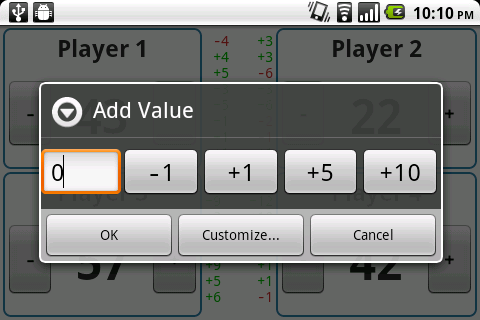
If you want to add values greater than 1, you can long-press on the “+” or “-” button. This pops up a dialog that allows you to input a number with the keyboard or just tap buttons with large increments like “+5” and “+10” (once again, configurable). It does worry me that this feature is “hidden” behind the long-press, but I think most users will figure it out if they know what they are looking for. Many of the other scoring apps let you long-press for additional options, so they might have set a precedent there. In any case, the app is still perfectly usable even without this feature.

Unlike Simple Score Sheet, most of the configurations can be found in the Settings section rather than the main wizard, where it would just be clutter. There’s a concept in software engineering called “convention over configuration,” which basically means that the standard use-case should be the default, and the user should only need to use configurations if they want to do something unusual. I think KeepScore applies this principle pretty well, and that it makes for a smoother user experience. Any user actually looking for strange options (a starting score other than 0, customized button values, etc.) is probably savvy enough to know where to look for them.

Other neat options include the ability to save more than one game, a separate screen to explore the game’s complete scoring history, and the ability to change a player’s name mid-game. Most users will not bother with these options, though, so I tried to keep them out of the way as much as I could.

So there you have it. With just a little common sense and the restraint to not clutter up your app with unnecessary options and verbiage, you can create a dead-simple scoring app that actually beats pen and paper. It’s kind of sad that the Android Market went so long without an app that could do something so basic, but I’m just glad I finally have something worthy of my next cribbage game.

And the best part: KeepScore is free and open-source. You can download it from the Android Market here or get the source code here.

If imitation is flattery, then CatLog has a secret admirer

When I first released CatLog last summer, my goal was to create a replacement for the dominant Logcat app, aLogcat. (“Logcat,” if you don’t know, is the somewhat cryptic name for Android’s system log, which is invoked by typing adb logcat in a shell. In a delicious pun, the Android team also lets you invoke it with adb lolcat.)

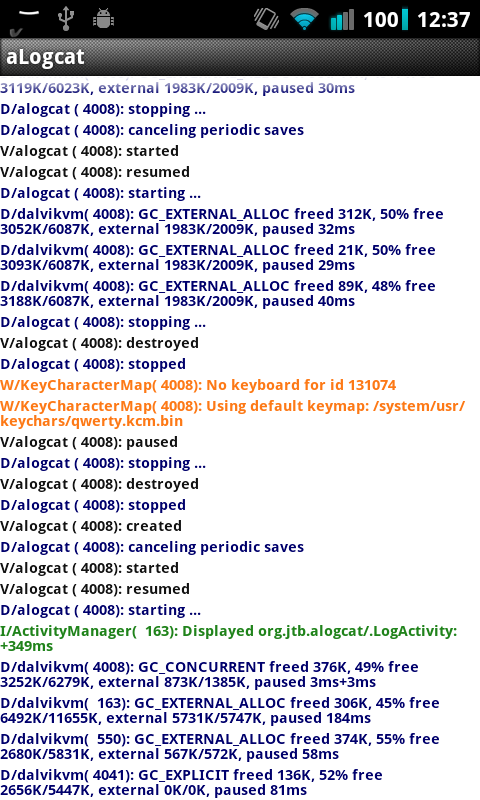
Around that time, I was on vacation in France, and I didn’t have access to a computer with an Android development environment. So when a problem came up in one of my apps, I tried using aLogcat instead. But aLogcat just wasn’t cutting it for me. It was clunky, difficult to read, and lacking in decent search/filter functionality. Just scrolling through the logs to try to pick out my own app from the others was a classic victory of the haystack over the needle.

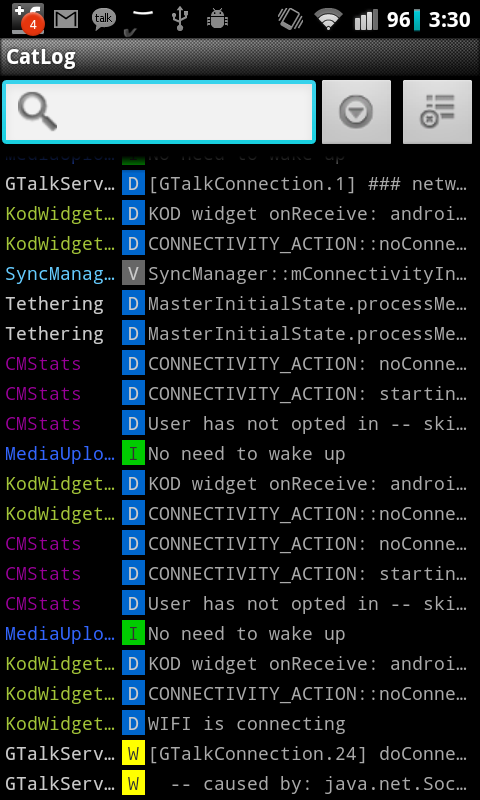
When I got back to Seattle I was still unemployed, which meant I had a lot of time to burn. So I sat down at my laptop, and less than 24 hours of frenzied coding later, I had busted out my first version of CatLog. It didn’t have a lot of the cool features I ended up adding in future updates, but it would still beat aLogcat in a beauty contest:

aLogcat

CatLog

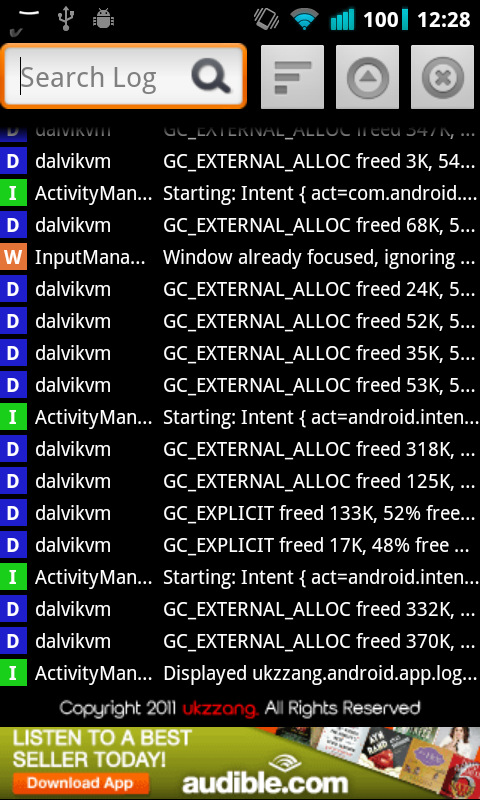
CatLog’s look and feel is inspired by Jeff Sharkey’s Colored Logcat script, which is a great way to view logs because the tags are color-coded, and because everything is organized into neat columns. CatLog is also easier to search than aLogcat, because the search bar is right on top of the screen, and it filters automatically as you type.

As far as additional features go, CatLog also records logs in the background, sends logs as text or attachments, and auto-scrolls when you’re at the bottom of the screen. aLogcat, by contrast, only lets you search through a cumbersome dialog box, it can only send logs as text, and it forces you to pause and unpause if you want to control the scrolling. It does the job, but in terms of usability, it leaves a lot to be desired. (Edit: aLogcat now supports auto-scrolling.)

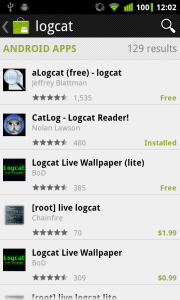
Despite these shortcomings, aLogcat is still more popular than CatLog, and it comes up first in a search for “logcat”. That doesn’t bother me much, though, because I know I’ve written the best Logcat app for Android. You only have to play with each app for a few seconds to see the huge difference in presentation, features, and usability. aLogcat was first on the Android Market, and that’s probably what it owes much of its success to. But given enough time, I’m sure CatLog will pull ahead.

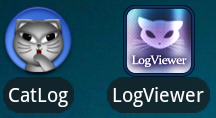
I got a little surprise a few weeks ago, though, when I noticed a new Logcat app on the market: LogViewer. I wondered if someone had finally improved upon CatLog – I love a good challenge! But as I played around with the app, I became more and more puzzled. LogViewer has far fewer features than CatLog, but the presentation is a dead-on imitation. Like CatLog, it has a cat in the icon. Like CatLog, it arranges everything in columns. And like CatLog, the search bar is on top of the screen, with “expand” and “clear” buttons to the side.

CatLog

LogViewer

I’m not angry at the developer for taking design cues from CatLog. After all, I modeled CatLog after Jeff Sharkey’s script, and the two look very similar (although his is a Python script and mine is an app). Also, I don’t really believe there’s anything wrong with borrowing someone else’s ideas to improve on them – human civilization is built off of this practice.

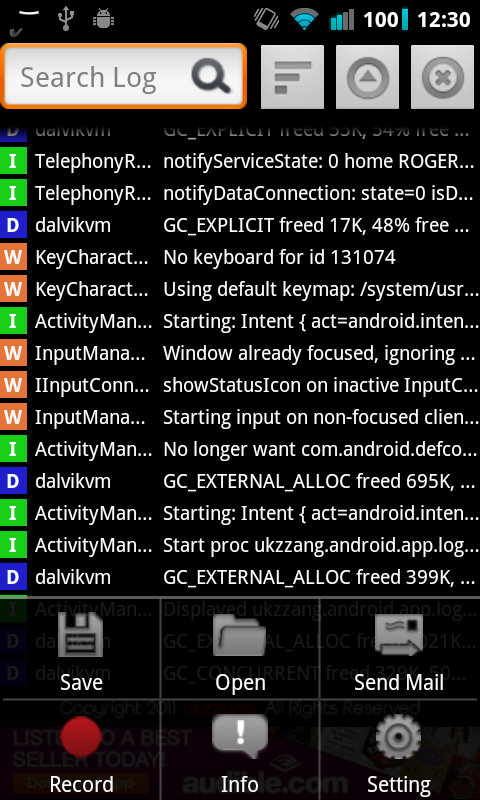
But what confuses me about LogViewer is that it doesn’t even improve upon CatLog in any way. It has far fewer features – no process id, no color-coded tags, no widget, no ability to delete saved logs, no ability to send logs as attachments, etc. And the only thing it adds is a big ad banner at the bottom, along with some text saying “Copyright 2011 ukzzang. All Rights Reserved.” (Nice use of the screen real estate, by the way. Heaven forbid someone should try to copy his app!)

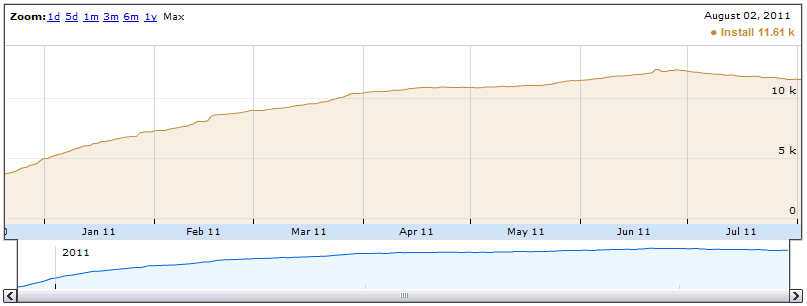
I guess I just don’t see the point. Why would you go to the trouble of writing a Logcat app if it doesn’t improve on the competition? I suppose you can slap an ad banner on it and make a couple of cents that way, but having written an ad-supported app myself (Chord Reader), I can attest that ad revenue tends to be chump change unless your app is on par with Angry Birds in terms of popularity. (Chord Reader has over 11,000 active users, but it’s only earned about $60 since I released it 9 months ago. I’m thinking of just taking the ads out, since it’s not really worth it to ugly up the app.)

CatLog with menus

LogViewer with menus

My only hunch is that, since the author of LogViewer has written an “App Lock”-style app, he’s already had to deal with reading Logcat output (which is the way these sorts of apps work), so he figured he might as well write a Logcat app as well. And if that’s his reasoning, then fine. CatLog is still the best Logcat app on the Market, but if any of my users think to themselves, “Gee, I like CatLog, but I wish it had more ads,” well, they now have another option. I can’t argue against consumer choice, even though this particular choice seems a little silly to me.

There is one area, though, where I have to give LogViewer credit: its performance is pretty damn good. When I first tested it out, I noticed that its scrolling was much faster and smoother than CatLog’s. This made me realize that CatLog had some room for improvement in the speed department. So, spurred by this upstart new rival, I went back to the CatLog codebase and made some long-overdue optimizations that brought it up to roughly the same speed as its competitor. These changes are available starting in version 1.1.6.

So in this small way, at least, I tip my hat to CatLog’s secret admirer.

On Pokédroid’s Removal

I posted the short version of this story to Pokédroid’s page on the Android Market:

Pokédroid will be removed from the Android Market shortly.

A legal representative of The Pokémon Company has responded to me via email. He has confirmed that TPC would like Pokédroid, and all similar apps, to be removed from the Android Market.

TPC’s stance is apparently that they don’t want any Pokédex or Pokémon-related apps at all for the Android platform. They feel that such apps infringe upon their copyrights and compete with the print versions of their strategy guides.

While I disagree with this decision, which I believe is detrimental to the interests of both Pokémon fans and TPC alike, I have decided to comply with their request. Thus, henceforth I will cease all development on Pokédroid and remove it from the Android Market.

When this page goes down, please visit my site (www.nolanlawson.com) for more information. I will _not_ host the APK there.

It has been a pleasure to serve the Pokémon community. I hope you had as much fun using Pokédroid as I had writing it.

– Nolan
Going through this whole process of being targeted for copyright infringement, trying to fight it with argument and persuasion, and eventually being defeated has been a strange odyssey for me. I’ve learned a lot about how IP enforcement actually works in the real world, and I’ve lost a little bit of my naïveté. I’ve also lost the hundreds of hours of work I put into Pokédroid, and I’ve let down my 400,000+ users. It’s been humbling, to say the least.

When Pokédroid Donate was first taken down by Google, along with a dozen other Pokémon apps, I was not very surprised. I figured that either Nintendo was trying to crack down on paid Pokémon apps, or they were targeting blatant copyright infringements like wallpapers, games, and soundboards. I assumed Pokédex apps, which are really just strategy guides, would be safe.

Google sent me a copy of the original DMCA takedown notice from The Pokémon Company (which is an affiliate of Nintendo). But the fact that it listed my app, Khiry Arnold’s “Poké Pal”, and Stephen Willey’s “Pokédex” among a dozen-odd wallpaper and soundboard apps seemed to me like a mistake. Anyway, the notice itself looked very hastily thrown together – it was obviously the result of an entry form on Google’s website, and some of the app names were even misspelled. (“Pokédroid” was listed as “Pokédex,” although they spelled my name right.)

So when I started trying to get in contact with The Pokémon Company to rectify the problem, I figured the stakes were low. The free version of Pokédroid was still on the Market (probably due to an oversight from Google), and I couldn’t imagine TPC would want it removed. So I felt like I was mostly fighting for Khiry and Stephen, whose apps had been forcibly removed by Google while mine was overlooked. I had the most users out of the three of us, and therefore the most clout, so it seemed the responsibility had fallen on my shoulders to clear up the misunderstanding. Sort of like I was representing the Pokédex App Developers Union or something.

I honestly thought that the content of the apps was uncontroversial, and that as soon as I could get in touch with someone at TPC they would rescind the takedown immediately. I mean, there are plenty of fansites that offer the exact same content as Pokédroid, and nobody seems interested in taking those down, so why would Android apps be any different?

I did worry, though, that TPC might frown down upon monetizing our apps. So to be on the safe side, I deprecated Pokédroid Donate, which had only distinguished itself by including the “shiny” sprites anyway, and added the shinies to the free version. Now I felt Pokédroid was scrubbed clean of anything even slightly questionable – it was a free (and ad-free) app, with no content that couldn’t be found at a half-dozen popular fansites, and to boot I had gotten written permission from all the people who had given me their data (mostly Marriland, but there were a few other FAQ authors as well). A perfect representative of our little Union.

So like a fresh-faced Jimmy Stewart going to Washington, I penned the following polite email to TPC:

Hello,

I’m the developer of the Android Pokédex app “Pokédroid.” A few days ago I received an email from Google explaining that my app was to be removed from the Android Market due to a DMCA takedown notice from The Pokémon Company (see attached). Several apps are mentioned in the notice, including “Pokédroid” and other similar Pokédex-style strategy guide apps.

Could you please explain why The Pokémon Company is targeting these particular apps? My understanding was that they fall under the category of “fair use,” in that they function as strategy guides (i.e. research) and are not directly competing media. Furthermore, there are plenty of iPhone apps and web sites (such as Bulbapedia and Serebii.net) that offer the same content, so I’m perplexed as to why Android apps were singled out.

To be fair, many of the apps mentioned in the notice are clearly copyright-infringing – e.g. games, wallpapers, and soundboards. I can understand your desire to have these apps removed. But strategy guide apps, to me, do not appear to fall into the same category.

If this was indeed a mistake, please notify Google so that they can restore these apps to the Market. Hundreds of thousands of Pokémon fans use these apps as a resource when playing your wonderful games, so I’m sure that having them back in the Market would make those fans very happy.

If not, then I will be happy to keep “Pokédroid” off the Android Market, per your wishes.

Thank you for your time.

Sincerely,
Nolan Lawson

For two weeks I received no response. I sent multiple emails and even left a voice message at TPC’s company phone number. Then finally, after finding the phone number of one of their lawyers and leaving a message there, I received this email:

Nolan:

I’m the position omitted for The Pokémon Company International, Inc. I’ve been given to understand that you’re trying to reach someone at TPCi to try to get some information about Pokédroid and Pokédroid Extras and more specifically about why we asked Google to have them removed from the Android Market. Since you’ve reached out to us and been reasonable about this, I wanted to take a moment to write you back and give you some insight into our thinking.

By way of background, and sorry but I do have to get legalistic for a minute, you have told us that you think your apps are fair use. Unfortunately that’s not the case. There are lots of websites that purport to give information about what is and isn’t fair use, but I find one good summary is from the US Copyright Office at http://www.copyright.gov/fls/fl102.html. Under US law all uses of a copyrighted intellectual property by anyone other than the owner of the IP are presumptively illegal, and it’s up to the person using the IP to demonstrate that their uses are permitted. So fair use isn’t an affirmative permission to do something, it’s a defense to an action that is otherwise illegal, which means that it’s your obligation to prove that you should be allowed to make apps based on Pokémon and unless you can prove that you’ve got a legal right to do that, your apps are infringing.

One thing that’s not commonly-understood by fan communities is that the owners of the Pokémon IP have the right to decide not to put this IP into the Android Market or anywhere else. Put another way: if we don’t create our own Android Market app, that’s not an invitation to other people to fill what they perceive as a gap, it’s a decision that they have to respect. You may think that Pokédroid and Pokédroid Extras don’t compete with our print strategy guides like the one for sale at Amazon (http://www.amazon.com/Pokemon-Black-Version-White-Official/dp/0307890600/ref=pd_sim_b_1) or the one available for free at our website www.pokemon.com. But as you can see from the Copyright Office link that’s not the only criterion in the test, and even if it was I’d have to say we don’t agree, and in any event we have chosen not to allow any Android Market apps for Pokémon.

I hope this helps you understand the situation and our position. I can’t ask that you agree with me, although I’d hope that after you’ve read this you’ll know that we didn’t act capriciously or lightly. But I do have to ask that you take Pokédroid and Pokédroid Extras out of the Android Market and not upload them anywhere else. Could you confirm to me by return email that you’ll do that?

I hope that you’ll find another way to contribute to the Android app community. Given how skilled you are at app development, I don’t think it will take long.

Name omitted

Needless to say, I was shocked. Were they serious? Why would Nintendo target apps that do the exact same thing as a half-dozen fansites, which they’ve never attacked before? (To be fair, TPC has attacked fansites in the past, but only for small portions of the content they publish.)
I’m not arguing that Nintendo doesn’t have the right to act in this way. They can do pretty much whatever they want with their own intellectual property. IP law, taken to its logical conclusion, means that they can prohibit me from whistling the Pokémon theme song as I walk down the street, for instance. This is kind of a silly example, but I’m just pointing out that determining IP infringement is not clear-cut. For this reason, most companies choose to act judiciously when they enforce IP, because too much enforcement could be dismissed by the courts or cause a backlash from fans. They have to find a middle ground.

And in the case of Pokédroid, IP enforcement seemed to me like a clear lose-lose for Nintendo. If there are no mobile Pokédex apps, then that seriously reduces the value of every Pokémon game that Nintendo publishes. Gamers love strategy guides because they increase their enjoyment of the games. Imagine if a resource like Bulbapedia were taken down – so much of the fun of playing Pokémon games would be sucked out of them! And it’s the same with mobile apps. Undoubtedly, taking down mobile Pokédex apps would cause fewer people to buy Pokémon games in the future, and Nintendo/TPC would suffer. They might sell more $10 strategy guides, but they’d sell fewer $30 games. They’d lose money.

Alternatively, TPC may be thinking of releasing their own app, which would explain why they’d want to eliminate competitors. But even that reduces quality for consumers. Undoubtedly TPC would release one monolithic app with a limited feature set, and if some fans wanted different features or a different presentation, then tough luck. With a lot of competing apps, though, choice is increased for consumers and everyone’s more likely to get what they want. This was already happening with “Poké Pal,” which was an app geared more towards serious, competitive players than my own. It was a free app, and it excelled in its own way, while Pokédroid excelled in other ways. Consumers could download one, the other, or both. Everybody wins.

I sort of doubt that TPC or Nintendo will release their own app, though. If anything, the author of this email seems to be suggesting that Nintendo is deliberately leaving a “gap” in the Android Market, and that I need to respect their decision to keep it that way. Similar to when Nintendo shut down that fan-made Zelda movie, or when Square Enix shut down the fan-made Chrono Trigger sequel, no replacement is intended. IP enforcement can be somewhat mindless in its destruction. I like to picture it as a grumpy old coot, waving his cane at those pesky neighbor kids when they’re having too much fun on his front lawn.

So at this point, reading the email, I kind of glumly realized that the game was lost. There was probably no way to convince TPC to take back the original DMCA notice. I felt a little frustrated that I had provoked them in the first place, since, if I had just done nothing, Pokédroid might have stayed on the Market awhile longer while they shuffled their paperwork around. But by buzzing in his ear, I had invited the giant to swat me down. It seemed there was nothing left for me to do but bow to their demands.

I wanted a little more clarification about their motivations, though, and I also hoped I could make an emotional appeal for them to reconsider. So I wrote the following:

Hi Name omitted,

Thank you so much for your response. I really appreciate you taking time out of your day to help explain these kinds of issues to me, especially since (as a layman) legal matters are obviously not my area of expertise.

I think I have a better understanding now of what is meant by “fair use.” I understand that TPCi has complete legal right to their intellectual property, and that therefore any third-party use of that IP is considered to be infringement until proven otherwise. Also, I’m perfectly willing to take down Pokédroid and Pokédroid Extras from the Android Market and not upload them anywhere else, per your request. In case you were wondering, the reason it’s still on the Market is because Google did not take it down themselves, probably due to an oversight on their part. I was confused about the situation, and so I left it up until I could get word back from your company.

I have to admit, though, that I’m surprised by TPCi’s decision, and I’m hoping you could tell me a little more about the motivations behind it. Specifically, why Android apps? To my knowledge there are about a dozen Pokédex apps for iPhone, and many of those are even paid apps. There are also popular web sites such as Bulbapedia and Serebii.net that offer similar content. Does TPCi plan on removing those sites and apps as well, or is there a specific reason that Android apps are being focused on? I’m not asking this in order to play “gotcha,” or to make some kind of “two wrongs make a right” argument; I’m honestly just trying to understand TPCi’s position on this issue. After having put several hundred hours into developing this app, I think it’s reasonable for me to want to know a little more about your company’s decision before shutting it down for good.

Also, I realize it’s sort of a “children’s letters to Santa Claus” argument that doesn’t carry much legal weight, but I do hope you’ll read some of the reviews for Pokédroid: https://market.android.com/details?id=com.nolanlawson.pokedex. Ever since I mentioned that the app might be taken down, there have been lots of comments expressing sadness and frustration over the news. Pokédroid has over 420,000 users, and it honestly saddens me to think about taking away what is obviously such a valuable resource for them.

Thank you again for your legal advice and courtesy towards me. I hope you know that, as a longtime Pokémon fan, I offer TPCi the same courtesy and will bow to any of its wishes regarding its own IP. But I also hope that TPCi will consider alternative solutions to this problem.

Nolan Lawson

The next day, I received the following response:

Nolan:

Not a problem to respond, and thanks also to you for your reply. It’s certainly not unreasonable for you to ask for a bit more background. Unfortunately and as you can probably imagine I can’t really discuss the specifics of other situations or other apps, except to note that we’ve sent a fair number of notices recently, will be sending some more, and if there are people out there who aren’t as great about this as you have been they may receive a slightly different form of communication from me. But you shouldn’t feel singled-out at all, and it’s not just Android apps. Apple has a slightly different approach to these kinds of things than Google does and so their process takes a bit longer to operate, for example.

Thanks again for your reply and for your understanding here.

Name omitted

He’s obviously not letting on very much here. He isn’t recognizing the contradiction in targeting Pokédroid while leaving Bulbapedia and Serebii up, and he doesn’t really explain why TPC has suddenly decided to go after mobile apps. The evasiveness of his answer was kind of a letdown for me, although I can understand why the legal team would want to keep mum about such things.

He’s also being very diplomatic about all this, which I appreciate. But I do detect a sort of “good cop” routine going on here (“as great as you,” “how skilled you are”), with the thinly veiled threat of the “bad cop” waiting in the other room in case I don’t play ball (“a slightly different form of communication”). He’s left little room for debate – the impetus is clearly on me to either follow directions or face the consequences. No response to my heartfelt Miracle on 34th Street reference, and no response to my suggestion to seek alternative solutions. I suppose I naïvely thought he might be touched by all the user comments, but it seems not.

So that’s pretty much the whole score. Nintendo: 1; me: 0. I wish I had the courage to fight this battle, but I searched my soul and came up empty. It just doesn’t seem worth it to me to stick out my neck and try to stop Nintendo from attacking their own customers. Also, I could do more harm than good if I continue this line of argument with them. I was worried enough that, when I mentioned Bulbapedia and Serebii, the lawyer might respond, “Hmm, shut down Bulbapedia and Serebii? Not a bad idea.” At a time when TPC’s legal team is clearly on the rampage, the last thing I need to do is draw attention to myself or anybody else. It’s like the T-Rex in Jurassic Park – stand still, and he might just leave you alone.

On a personal level, though, I’m deeply disappointed with this whole result. Although I haven’t been the most dedicated Pokémon fan (I tried but couldn’t really get into the newer games), I’ve poured my heart and soul into Pokédroid. In terms of Android app development, it’s my magnum opus. I put deliberate care into every inch of the interface, every function call in the code, every UI design decision.
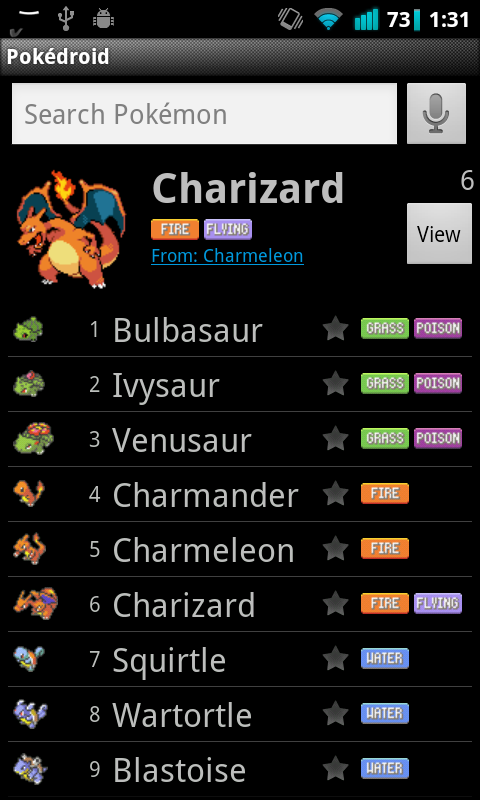
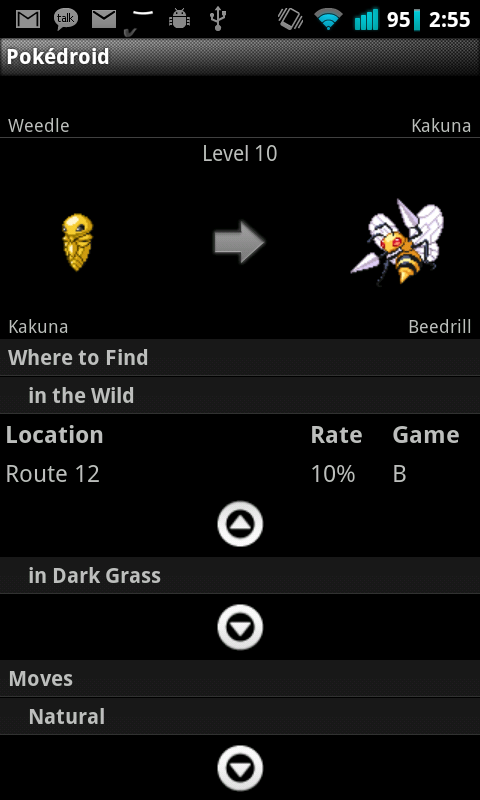
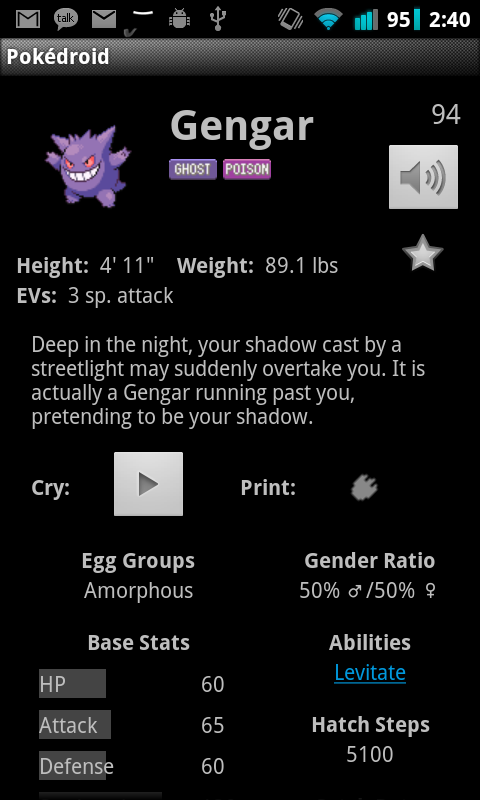
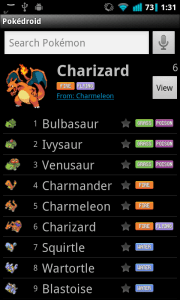
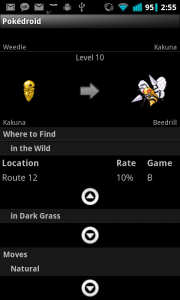
Pokédroid might not look pretty (I don’t have an eye for design), but there are little touches that improve the experience in ways the user might not even perceive. For instance, the buttons’ “onClick” methods load in the background, so that the UI doesn’t slow down. The voice search uses string edit distance to try to find approximate matches. The moves and locations use dropdown lists, because I wanted to keep the interface clean and uncluttered. The “advanced search” uses optimized SQL indexes for the fastest possible searching.

All of these are things I put time and effort into, to please my 400,000+ users. I’ve spent hundreds of hours trying to improve Pokédroid, which, even with all my donations considered, was done at below a minimum-wage rate. And yet, I don’t regret any of it, because (and I’m going to get a little mushy here) I know Pokédroid has brought a little ray of sunshine to so many people’s lives. As of today, it’s in the top 50 free apps in the “Entertainment” category, it has a perfect 5-star rating, and it has hundreds of comments from satisfied users, all expressing how much joy, delight, and amusement Pokédroid has brought to them.

To say that this gives me the warm and fuzzies would be an understatement. In fact, Pokédroid was a great psychological boon to me, as I left the safety of college and entered into full “quarter-life crisis” mode. I wondered: What was my contribution to the world? What had I done to justify my existence? With Pokédroid, I could always point to it and say, “Right there. 400,000 people who got a kick out of my app. 400,000 people who reminisced about the cartoon show, looked up stats for their competitive team, or just giggled at the silly text-to-speech feature. 400,000 smiles. That’s what I’ve done for the world.”

I’d like to close this article with some of my favorite reviews from the Android Market. The fans are the reason I kept working at Pokédroid, and they’re the ones who gave me feedback and criticisms that helped me fix bugs, retool the user experience, and correct glaring flaws. I want to thank them for giving me a really cool project to work on for the past year, and for giving me lots of insights into application development. Thank you all.

  • this is the most amazing app i have ever seen, ive always dreamed of having a dex on my phone. i love you man<3 – Jonesyruless
  • Now i can trump my kids with my mad pokemon knowledge – Lisa
  • Kids love the talking pokedroid. Its a must have for any Pokemon fan! 5 stars – Ash
  • Is super great and I would buy the donate version but my mom said no haha but as soon as im off her plan I will if I still play Pokemon – Steven
  • I am donating asap. And I NEVER donate. Not to the homeless, friends in need of a buck for gas, never! – Philippe
  • Love it! Showed it to my office mate and we started getting all nostalgic – Lumpy
  • Why I bought Android – Nick
  • My 5 yo daughter loves this. – Eric
  • This app has amazing info, and the voice is hilarious! – Sean
  • I was out in the wild and a pokemon appeared. My friend asked me what it was but i didnt know. So i took out my Pokédroid and identified it! – Dal
  • I absolutely LOVE this app! My friends have become jealous and they want an android phone JUST for this app! Genius! ^_^ – Abigail
  • Incredible! This app has single handedly justified my Droid purchase. Please add egg moves! – |3reak
  • Thank you Thank youThank youThank youThank youThank youThank youThank youThank youThank youThank youThank youThank youThank youThank youThank youThank – Wonton
  • This is well cool. My friend’s all want android phone’s just for this app. :-) – Max
  • My daughter loves this app. Just like a pokedex from the cartoons! – Jessica
  • My son loves this keeps him occupied for ages – Lorna
  • Wow, this is simply awesome, no words to describe.. it just feels very special for some reason!.. thank you! =] – Cloud
  • I bought a Droid for this app! I love it. Keep up the good work. – Timothy
  • A real Pokedex? I love the future. – Craig
  • Would give it 1000 stars if I could, what an elaborately designed app. Thank you for sharing for free! – Zach
  • I use this pokedex on the regular. Helps with all versions. I am in college and I still use it to settle disputes. Great app. A+ – Dietrich
  • Fantastic! Work at gamestop and this app has gotten me some sales haha def donating. Game specifucations would be nice tho – Victoriano
  • I cant imagine playing the games w/out this app. I use it whenever i am in battle to help me choose what pokemon to use. Cant wait for b and w update. – Cameron
  • Being a programmer it takes alot to get 5 stars but he earned this – Jonathan
  • Awesome! My kid loves the black & white update. Really useful, and free! – Paul
  • Good resource! Great for keeping up with my 7 year old daughter ^^ – Midd
  • This is the best Pokédex app that is out there. It makes me feel like I’m part of the show. – Kohaku
  • Since the moment I downloaded this months ago I’ve loved it. The latest update makes the interface lightning fast and pretty much flawless. – Daenym
  • Thanks for B/W update! Scrolling is PERFECT now!!! Thank you for voluntarily working to satisfy such a prissy bunch of people! – Sidney
  • Perfect app for a beginner or veteran. Now I can stop getting on the PC to look up new Pokemon I haven’t heard of! – Frogmum
  • Best app on my phone – Tom
  • Childhood dream come true… enough said – Kevin
  • Not only is it a great app but the customer support is tops as well – Christopher
  • This has got to be the funnest/greatest app ever!! Absolutely in love w/ it! – Denise
  • So convenient! Considering that bulbapedia is down half the time! – Kathy
  • Best thing ever – Daniel
  • I love this app! Easy reference to help me train my pokémon in the best way possible! Plus getting to freak out my friends w/ random pokémon cries! – Bryan
  • 10 out of 10!!!!!! This is by far the most comprehensive pokedex I have ever seen. Fast, easy to use. Settings for different versions (Great for when I play Black and by daughter plays Platinum). Consistent updates. If you have not already downloaded this and the extras bundle… then you are dumber then a Magikarp! – Wayne

Nintendo used Takedown! It’s super effective!

UPDATE: I was in error when I wrote this post. Apparently, all Pokémon-related Android apps were cited in the DMCA takedown notice, not just paid ones. Every Pokédex app has been removed by Google except for Pokédroid and Pokédex Companion. It’s not clear why.


Today I received an email from Google explaining that Pokédroid Donate was removed from the Android Market due to a DMCA takedown notice from The Pokémon Company (a subsidiary of Nintendo). The email begins:

This is a notification that the application, Pokédroid (Donate) with package ID com.nolanlawson.pokedex.donate has been removed from Android Market due to a violation of the Developer Content Policy. Please review the Content Policies and Business and Program Policies before you create or upload additional applications. Note that repeated violations may result in a suspension of your Android Market Publisher account.

Mine wasn’t the only app removed – in total, about a dozen Pokémon-related apps were cited in the DMCA notice. These include “Poké Pal Donate,” “Pokédex,” and “Who’s That Pokémon?”, among others. Apparently only paid apps were targeted; the free versions of Pokédroid and Poké Pal, for instance, were not mentioned.

In response, I made an update to Pokédroid and added the following text at the beginning:

Google has removed Pokédroid Donate from the Android Market, due to a copyright claim by The Pokémon Company. In fact, all paid Pokédex apps (Poké Pal Donate, Pokédex) were removed. Free apps were not affected.

In response, I am adding the shiny sprites to Pokédroid for free. To the people who already paid for Pokédroid Donate, I apologize for the sudden bait-and-switch. So you won’t feel like you wasted your money, I am hereby donating all proceeds from the month of May (about $150) to Doctors Without Borders.

I disagree strongly with what The Pokémon Company is doing. It hurts Pokémon fans the most, because they are the ones who benefit from having a variety of apps on the Market. Also, the apps don’t even threaten Nintendo’s bottom line, because they’re strategy guides and not competing games. However, there isn’t much I can do, because Nintendo is a powerful company and I’m just one guy.

Please keep in mind that your donations sustain my interest in developing this app. You can still donate via PayPal at my website: nolanlawson.com/donate.

Thank you for using Pokédroid, and stay tuned for more updates! I have some very cool features in the works, and I will try to get them to you despite these legal hurdles.

– Nolan

And for the “pics or it didn’t happen” crowd:

Mostly what I’m doing here is damage control. Nintendo has backed me into a corner, and I’m too sheepish to fight back. So I’m just doing what I assume they want me to do – make Pokédroid 100% pro bono. But since this will irritate people who already bought Pokédroid Donate (and who are therefore my best and most enthusiastic users), I’m also doing the donation as a show of good faith.

This is my own, somewhat cowardly reaction to the news. I’m not sure what other app developers will do. I’m in contact with Stephen Willey, the developer of Pokédex, and Khiry Arnold, the developer of Poké Pal, but neither seems to have decided what their strategy will be. Admittedly, we’re all in a bad predicament. I feel especially sorry for Khiry, because he had just started doing a freemium model like me, and his app was really spectacular in terms of depth and detail.

Of course, none of these deleted apps really violate fair use, insofar as they might compete with Nintendo’s core product. There’s nothing about a strategy guide or a silly “Who’s that Pokémon?” quiz that diminishes anybody’s desire to go out and buy the next Pokémon game. If anything, these apps actually increase interest in the product, because they add value for current Nintendo customers and encourage them to learn more about Pokémon. And if nothing else, they’re free advertising.

But this is the tragedy of current copyright law. Presumably, Nintendo took out its copyrights to protect against blatant infringements, like game piracy. But here instead it’s using its IP to attack the Pokémon fan-developer community, at great cost to its customers and, indirectly, to itself. To be fair, though, none of this is really Nintendo’s fault. They’re just operating within the mad logic of a broken system.

People who know me personally know that I am very skeptical of copyright law and intellectual property in general. I tend to view patents and copyrights as government-enforced monopolies that drive up prices, reduce choices for consumers, waste money on litigation, and stifle more innovation than they spur. For your own interest, and to challenge any assumptions you may have about IP, I recommend reading these articles: here,
here, and here.

Your Froyo users are an army of testers

The error reports page in the Android Market Developer Console is one of my favorite additions to Android 2.2 (Froyo):

It gives you a nice, organized view of the stacktraces reported by users when your app has crashed or frozen. This is great because, for the most part, users are not particularly eloquent when describing bugs. Usually they just say something like “Doesn’t work anymore, please fix.” And when they do give more information, it’s often tantalizingly incomplete: “When I go to Settings I get a force close.”

Stacktraces, on the other hand, don’t beat around the bush:

java.lang.RuntimeException: Failure delivering result ResultInfo{who=null, request=0, result=-1, data=Intent { (has extras) }} to activity {com.nolanlawson.pokedex/com.nolanlawson.pokedex.PokedexActivity}: java.lang.NullPointerException
      at android.app.ActivityThread.deliverResults(ActivityThread.java:3515)
      at android.app.ActivityThread.handleSendResult(ActivityThread.java:3557)
      at android.app.ActivityThread.access$2800(ActivityThread.java:125)
      at android.app.ActivityThread$H.handleMessage(ActivityThread.java:2063)
      at android.os.Handler.dispatchMessage(Handler.java:99)
      at android.os.Looper.loop(Looper.java:123)
      at android.app.ActivityThread.main(ActivityThread.java:4627)
      at java.lang.reflect.Method.invokeNative(Native Method)
      at java.lang.reflect.Method.invoke(Method.java:521)
      at com.android.internal.os.ZygoteInit$MethodAndArgsCaller.run(ZygoteInit.java:868)
      at com.android.internal.os.ZygoteInit.main(ZygoteInit.java:626)
      at dalvik.system.NativeStart.main(Native Method)
Caused by: java.lang.NullPointerException
      at com.nolanlawson.pokedex.VoiceSearcher.guessMonsterUsingDirectLookup(VoiceSearcher.java:132)
      at com.nolanlawson.pokedex.PokedexActivity.receiveVoiceResults(PokedexActivity.java:1206)
      at com.nolanlawson.pokedex.PokedexActivity.onActivityResult(PokedexActivity.java:1178)
      at android.app.Activity.dispatchActivityResult(Activity.java:3890)
      at android.app.ActivityThread.deliverResults(ActivityThread.java:3511)
 ... 11 more

NullPointerException. Bam. Go to the line in the code, figure out what’s null, and fix it. Nothing clarifies a bug like a good old-fashioned stacktrace.

Before Android 2.2, you had to get this kind of information from users by having them download a Logcat app and go through all the tedious effort of recording the log, reproducing the bug, and sending the stacktrace to you. Users can hardly be blamed for a lack of enthusiasm about this process. When you’re trying to complete a task and an app force-closes on you, the last thing you think is “Oh goody! I should tell the developer about this!”

Oh goody!

So Froyo’s error reporting framework is a godsend. From the user’s point of view, it’s a lot less painful to just click the “Report” button than to go through the rigamarole of downloading a Logcat app and emailing the developer. (Although, there is a splendid little Logcat app out there.) And from the developer’s point of view, your users have become an army of testers – and good ones, at that! They give you stacktraces and everything!

Plus, even when the stacktrace is not enough information, the additional comments from users are sometimes enough to squash the bug. For instance, I recently had an ArrayIndexOutOfBoundsException that was reported by almost a hundred Pokédroid users after the release of version 1.4.4. Try as I might, though, I couldn’t reproduce it. Then I noticed the user comments:

  • 셋팅 클릭시 프로그램 종료됨
  • Every time I open settings it shuts it self down. Galaxy ACE
  • se cierra al entrar en “Settings”
  • 렉 너무걸린다
  • När man ska gå in på inställningar så hänger programet sig
  • Happens every time I go to the settings
  • whenever I go to settings, the program crashes
  • I has updated this app and now when i want to change settings that not working! I mean i cant change settings! :-( sorry about my bad english :-(
  • It crashes while I try to enter the settings
  • trying to open settings. always happens. samsung galaxy s. android 2.2
  • when click on settings freeze
  • Telkens als ik naar settings wil gaan dan flipt ie
  • i was trying to go to the settings-screen… crashes whenever i try it…
  • Opened settings

Hmm… there sure are a lot of non-English comments here. So I set my phone to French and, aha! It turned out the bug only occurred if your phone’s language was set to something other than English. The bug was fixed and I shipped out 1.4.5 that same day. (Another great thing about the Android Market – no review process!)

When you have an app with a lot of downloads, though (like Pokédroid, which just hit 250,000), you start seeing some strange little bugs:

java.lang.NullPointerException
     at com.lge.media.SprintMultimedia.isStreaming(SprintMultimedia.java:27)
     at android.media.MediaPlayer.setDataSource(MediaPlayer.java:738)

Caused by: android.database.sqlite.SQLiteDatabaseCorruptException: database disk image is malformed
     at android.database.sqlite.SQLiteQuery.native_fill_window(Native Method)

java.lang.NullPointerException
     at com.motorola.android.widget.TextViewHelper.drawCursorHalo(TextViewHelper.java:306)
     at android.widget.TextView.onDraw(TextView.java:4175)
     at android.view.View.draw(View.java:6742)

Caused by: java.io.FileNotFoundException: res/drawable-hdpi/ic_dialog_alert.png
     at android.content.res.AssetManager.openNonAssetNative(Native Method)

Most of these just aren’t worth the effort to fix. For instance, they might only be reported by one or two users, and reflect situations that you, as a developer, don’t have a lot of control over (“database disk image is malformed”?). Others may be bugs in proprietary builds of Android, like the Motorola and Sprint bugs above. Obviously, I’m not going to go out and buy every flavor of Android phone just to test a few stray bugs.

If you’re lucky, you may also run into the Bigfoot of Android bugs:

java.lang.RuntimeException: Unable to get provider com.nolanlawson.pokedex.PokedexContentProvider: java.lang.ClassNotFoundException: com.nolanlawson.pokedex.PokedexContentProvider in loader dalvik.system.PathClassLoader[/mnt/asec/com.nolanlawson.pokedex-1/pkg.apk]
     at android.app.ActivityThread.installProvider(ActivityThread.java:4969)
     at android.app.ActivityThread.installContentProviders(ActivityThread.java:4696)
     at android.app.ActivityThread.handleBindApplication(ActivityThread.java:4652)
     at android.app.ActivityThread.access$3000(ActivityThread.java:140)
     at android.app.ActivityThread$H.handleMessage(ActivityThread.java:2225)
     at android.os.Handler.dispatchMessage(Handler.java:99)
     at android.os.Looper.loop(Looper.java:143)
     at android.app.ActivityThread.main(ActivityThread.java:5097)
     at java.lang.reflect.Method.invokeNative(Native Method)
     at java.lang.reflect.Method.invoke(Method.java:521)
     at com.android.internal.os.ZygoteInit$MethodAndArgsCaller.run(ZygoteInit.java:868)
     at com.android.internal.os.ZygoteInit.main(ZygoteInit.java:626)
     at dalvik.system.NativeStart.main(Native Method)
Caused by: java.lang.ClassNotFoundException: com.nolanlawson.pokedex.PokedexContentProvider in loader dalvik.system.PathClassLoader[/mnt/asec/com.nolanlawson.pokedex-1/pkg.apk]
     at dalvik.system.PathClassLoader.findClass(PathClassLoader.java:243)
     at java.lang.ClassLoader.loadClass(ClassLoader.java:573)
     at java.lang.ClassLoader.loadClass(ClassLoader.java:532)
     at android.app.ActivityThread.installProvider(ActivityThread.java:4954)
... 12 more

I want to believe.

I call this the Bigfoot Bug because, if you Google it, you will find a lot of puzzled developers saying that they’ve only ever seen this bug reported in the Android Market, and they can’t reproduce it themselves. I mean, “ClassNotFoundException”? The class is right there! I was stumped by this bug myself, until I saw one developer suggest:

AFAICT, the installation process sometimes leaves the app in a corrupt state leading to weird errors like this.

So apparently, this bug is just one of those unavoidable parts of life, like sitting through red lights or having the sushi fall apart when you dip it in the soy sauce. You just have to put up with it.

Still, if you can manage to not get overwhelmed by the sheer number of reported bugs (Pokédroid has gotten over 500), and if you can prioritize them based on how many users they affect, the Froyo error reports can be an invaluable tool in making your app more stable. For instance, I had a layout-related bug a few months ago that I could not reproduce. It was reported by enough users, though, that I finally decided to rewrite that bit of the code and do some long-overdue optimizations. I haven’t seen the bug since.

Why it’s still your bug, even when it’s not

In the previous post, I talked about a workaround for a bug that occurs when integrating with the Facebook Android app. It brings up an interesting question: when software A integrates with software B, and software B has a bug, whose responsibility is it to fix it?

Intuitively, you might answer B. “It’s B’s fault. The developer of A can wash his/her hands of the whole matter and go to bed with a clean conscience.” Justice prevails, right?

But I disagree. In my opinion, the responsibility falls on whomever the user chooses to blame. Because when it comes down to it, the user does not care whose bug it is. They just want someone to fix it, or else heads will roll.

Case in point: the Facebook ACTION_SEND bug. To recap, the ACTION_SEND Intent is used to send arbitrary text from one app to another. Many apps answer the call – Facebook, Gmail, Twitter, Yammer – any app that may be interested in the text. Intuitively, Facebook should let you share the text as a status update, like Twitter and Yammer do, but instead they stubbornly interpret it as a URL. If it’s not a URL, then it barfs up an error.

In my own apps, I could have just used the ACTION_SEND Intent as-is. Let Facebook clean up their own mess – my hands are clean. But obviously, because I’m one man and because Facebook is Facebook, users would assume the bug is mine. So here’s what would have happened if I had chosen to ignore it: I’d get a ton of emails and Android Market comments saying, “Facebook doesn’t work” or “4 stars until you fix Facebook.”

Maybe then I would have smugly responded, “It’s Facebook’s bug, not mine.” Or, if the comments persisted, I might have added a popup saying, “Facebook doesn’t work correctly, due to a bug in their app. Please avoid Facebook.” But as we know from a previous post, users don’t read anything. So I would have continued getting angry comments and emails, and I would just have to respond to each one with a triumphant “Not my bug.” In the end, my users would be unhappy, but hey – at least I stood up for myself, right? At least I’d have the satisfaction of knowing I did the right thing.

But this is not the right thing. At least, not if you believe that the point of software is to make people happy. In fact, there’s a grand tradition of unsung heroes in software development fighting to fix the other guy’s bug. Once again, my main man Joel Spolsky explains:

[I heard this] from one of the developers of the hit game SimCity, who told me that there was a critical bug in his application: it used memory right after freeing it, a major no-no that happened to work OK on DOS but would not work under Windows where memory that is freed is likely to be snatched up by another running application right away. The testers on the Windows team were going through various popular applications, testing them to make sure they worked OK, but SimCity kept crashing. They reported this to the Windows developers, who disassembled SimCity, stepped through it in a debugger, found the bug, and added special code that checked if SimCity was running, and if it did, ran the memory allocator in a special mode in which you could still use memory after freeing it.

From Microsoft’s point of view, they had a good reason for doing this. If a customer was upgrading from DOS to Windows, and suddenly all their favorite applications stopped working, they’d simply return Windows. Microsoft would bear the fallout from the other guy’s mistake. Once again, the one who gets blamed is not necessarily at fault, but it’s still his/her responsibility to fix the bug.

In Android development the most infamous instance of this occurs in the Android Market, and it’s the bane of Android developers everywhere:

“Error 18” occurs when the Android Market fails to download and install an app. And even though it has nothing to do with the app itself, this is the most common bug you will see reported by users. In fact, I’ve gotten so many reports of this bug that I’ve created a “canned response” in Gmail that I send out to all of them. I believe I recall reading that Arron La, the developer of the immensely popular Advanced Task Killer app, has said that he simply stopped responding to these kinds of emails, because he gets too many of them.

The reason that poor schmucks like Arron and me get inundated with these emails is due to the interface of the Android Market itself. When an app fails to install, the user will be on this page:

It may as well say, “Direct your frustration here.” And from the user’s point of view, this is understandable. When they get an error like this, whom are they supposed to ask for help? Google is not famous for their tech support. So, as the quaint proverb goes, shit rolls downhill. And it hits the developer first.

So we’ve established that the one who gets blamed is not necessarily the one at fault. But how do you determine who gets blamed? In the case of SimCity, it was the OS rather than the app. In the case of “Error 18,” it’s the app rather than the OS. I think the explanation for this is pretty simple.

In the smartphone world, your OS is wedded to your phone, and your phone is very dear to you. Perhaps you even consider it an extension of your psyche, the way some people might feel about a trendy haircut or designer jeans. So if an app breaks on your phone, you return the $2 app, rather than the $500, psyche-extending phone. In Microsoft’s case, the OS was not very closely tied to the hardware back in the 90’s, and the cost of an application was about the same as that of the OS. Or at least, the gap wasn’t as steep as $2 vs. $500. So in that case, it’s Windows that would get returned.

I think this can all be generalized as follows. The bug becomes your bug if:

  1. You are more accessible than the other guy, e.g. they represent understaffed call centers in far-flung corners of the world, whereas you represent a single ordinary person (who must have oodles of spare time to answer emails, if you can afford to waste it writing apps).
  2. You are more visible when the problem occurs, e.g. the bug pops up when you use the other guy’s library, and that library is invisible to the user.
  3. You will suffer the most from the blame. I think this is the big one. Even if user opinion is split 50/50 on whose fault it is, it becomes your bug if the blame hurts you more than the other guy. The Android Market bug is an instance of this, since “Error 18” might cause a developer to lose a sale, but it hardly affects Google’s bottom line.

Unfortunately for me, even though the “Error 18” bug is my bug by this definition, there’s not a whole lot I can do about it. There’s nothing I can change in the software that would stop the error from occurring, or lessen the pain for the user. So the best I can do is keep responding to these emails.

Or, if I’m feeling snarky, maybe I can link them here.

Share and share alike – just not with Facebook

Edit: Facebook has fixed this bug in the latest version of their app.

Here’s a common situation when you’re writing an Android app: you’ve got some text (a link, a test result, a poem you wrote about your love for Android) and you want to allow the user to “share” it with others. And if you’re lazy like me, you’ll quickly discover the fastest way to do it:

Intent intent = new Intent(Intent.ACTION_SEND);
intent.setType("text/plain");
intent.putExtra(android.content.Intent.EXTRA_SUBJECT, "Android, oh Android.");
intent.putExtra(android.content.Intent.EXTRA_TEXT, "Wherefore art thou, Android?");
startActivity(Intent.createChooser(intent , "Share"));

This generates a screen that looks like this:

Isn’t that nice? And it only cost you five lines of code! But oh, if only it were so easy…

See, the problem is with the fourth guy there – Facebook. The Facebook Android app only supports sharing URLs, not arbitrary text. Most other apps work fine, but when you click on Facebook, you get this sad, broken-looking page:

For my own apps where I wanted to enable sharing (Japanese Name Converter and CatLog), I could have just left this as-is. I mean, this is Facebook’s bug – not mine, right? But then I realized that, whether it’s my fault or not, my users would see this ugly page and assume it was a bug in my app. So I had to get Facebook out of there.

After some Googling, I found this discussion, which pointed me in the right direction. In the thread, one of the posters basically gives you all the tools you need to build your own custom SEND_ACTION chooser. However, I found it was a non-trivial amount of effort to co-opt their code to do what I wanted it to do.

So I built a more easily extensible version.  Here’s the final product, based off that poster’s original Launchables class.  It uses the PackageManager to find all apps that respond to SEND_ACTION, then filters out Facebook and displays the rest in a simple ListAdapter.  The code is open source; do whatever you’d like with it. All you have to do is copy SenderAppAdapter.java and the resource files into your app, and then use it as in DemoActivity.java. It will create an AlertDialog like this:

It looks almost exactly the same as the default chooser, but Facebook is gone! Plus, I threw in a “copy to clipboard” action as a little bonus. This way, the user can always post her lovely poem to Facebook by copying the text, opening up the Facebook app, and pasting in the damn text manually.

And most importantly, no one will blame you for Facebook’s oversight.

Download the source code

Respect your users by treating them like idiots

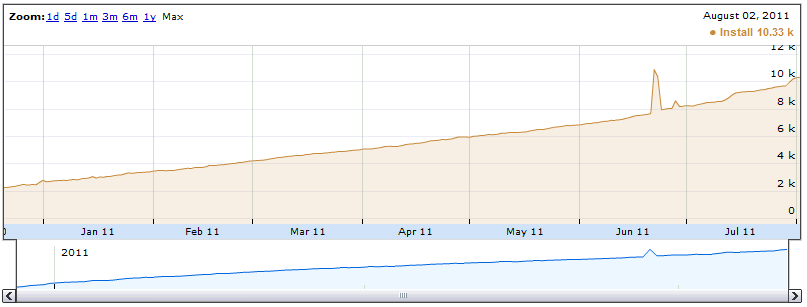
Working on Pokédroid in the middle of a huge boom in its popularity (it’s gaining 3,000 installs a day – not downloads, but cumulative installs) while reading Joel Spolsky’s User Interface Design for Programmers is teaching me a lot about designing UIs.  You can read some chapters of the book for free online; I especially like this post. I’m learning that Joel is absolutely right about many things, but especially this:

  1. Users don’t read anything.
  2. You must assume that users will not give your app their full attention.

Spolsky explains:

What does it mean to make something easy to use? One way to measure this is to see what percentage of real-world users are able to complete tasks in a given amount of time. For example, suppose the goal of your program is to allow people to convert digital camera photos into a web photo album. If you sit down a group of average users with your program and ask them all to complete this task, then the more usable your program is, the higher the percentage of users that will be able to successfully create a web photo album. To be scientific about it, imagine 100 real world users. They are not necessarily familiar with computers. They have many diverse talents, but some of them distinctly do not have talents in the computer area. Some of them are being distracted while they try to use your program. The phone is ringing. WHAT? The baby is crying. WHAT? And the cat keeps jumping on the desk and batting around the mouse. I CAN’T HEAR YOU!

Now, even without going through with this experiment, I can state with some confidence that some of the users will simply fail to complete the task, or will take an extraordinary amount of time doing it. I don’t mean to say that these users are stupid. Quite the contrary, they are probably highly intelligent, or maybe they are accomplished athletes, but vis-à-vis your program, they are just not applying all of their motor skills and brain cells to the usage of your program. You’re only getting about 30% of their attention, so you have to make do with a user who, from inside the computer, does not appear to be playing with a full deck.

The scroll thumb in Pokédroid

I’ve seen this “not playing with a full deck” situation play out over and over.  Recently, I had a user send me a very polite, carefully-worded email asking if I could make it easier to scroll to the new Black/White Pokémon, which are about 500 down from the top of the list. I was perplexed.  I wrote back and told him that, on my Nexus One, I can scroll down to the new Pokémon in about one second using the fast scroll thumb.  In fact, I implemented the fast scroll thumb to solve this exact problem. Was the fast scroll thumb not working on his phone?

Nope.  It turned out he just hadn’t noticed it.  He didn’t read the popup explaining the new feature, and he didn’t notice the scroll thumb at the right, even though it pops in and out as you scroll and is about 15% the width of the screen.  Now, it’s not that this person wasn’t intelligent – from reading the email, I could tell that he was highly literate.  It’s just that he wasn’t giving the app his full attention, because that’s what users do.

Several other users complained in the Android Market comments that there were no Black/White Pokémon:

  • Would be 5 stars but I can’t find the unova pokemon srry
  • Unova Pokemon don’t so up after update but all together its a good app
  • I just got the update and it had all of the improvements but it didn’t have the Black/White Pokemon
  • Huh?I updated but unova pokemon didn’t come out.HTC legend

This is because they’re updating from an older version of Pokédroid, and their game version is still set on HeartGold/SoulSilver, or some other version.  I told them in the initial popup that they needed to switch it.  I told them in the Android Market description that they needed to switch it.  I even put it at the top of the description preceded by the word “NOTE” in all caps.  Did it work?  Nope.  I still see these comments.

Of course, this is totally predictable given that, as Spolsky puts it so succinctly, “users don’t read anything.”  Again he explains:

This may sound a little harsh, but you’ll see, when you do usability tests, that there are quite a few users who simply do not read words that you put on the screen. If you pop up an error box of any sort, they simply will not read it. This may be disconcerting to you as a programmer, because you imagine yourself as conducting a dialog with the user. Hey, user! You can’t open that file, we don’t support that file format! Still, experience shows that the more words you put on that dialog box, the fewer people will actually read it.

The Black/White popup

So in the upcoming version, I’m implementing a popup to ask the user to confirm their game version when the app starts up.  Now, I know that users don’t read text, and I know that they hate popups, so I’m using some relaxing visuals instead – the box art from the games.  “Confirm Game Version: HeartGold/SoulSilver” pops up with a huge box art in their face.  Bam.  No confusion.  Except there is.  I realized as I was toying around with it that when it says “Confirm Game Version: Black/White,” I felt like I wanted to click on either the Black box art or the White box art.  I felt like it was asking me whether I wanted Black or White.  It was confusing to have to hit “OK” instead.  Which one am I confirming?

So I realized this: most users are going to assume that the game version is Black/White.  Why would they want anything else? Black/White is the most recent game.  If there are older Pokémon games with fewer creatures and different move sets, they sure as hell don’t want to know about it.  They just want to see some damn Pokémon, and they couldn’t care less whether I show the move sets from HeartGold, LeafGreen, or HotCherryPassion. Hardcore Pokémaniacs might scour all the settings and figure it out, but casual users won’t.

So my solution is to only show the popup if they’re on something other than Black/White. Normally, users expect popups when something is wrong, not when everything is A-OK. So new users, whose game version will default to Black/White anyway, would just be confused by a popup. “What happened?  Did I do something wrong?” So I figure: why even show it, if they’re already on the newest version of the game? This way, I can solve the immediate problem (people stuck on HeartGold/SoulSilver) without interrupting the majority of my users.

Another change I’m making is to shorten the introductory dialog and add pictures.  Given that the introductory dialog has traditionally been a wall of text, I should be surprised if users read anything in there.

Old intro popup

Just look at my pretentious little dialog, with its list of chores for the user to complete.  Are they really going to want to learn about the settings before they’ve even used the app?  Or where the “About” section can be found? I thought about it, and realized that there are only three pieces of information I need to convey in that dialog:

  1. You can download Pokédroid Extras to get footprints and cries.
  2. You can download Pokédroid Donate to get shiny sprites.
  3. The most recent changelog, for the 10% of users who want to know what’s updated and will actually read it.

Anything else, the user will only seek out on a need-to-know basis.  For the most part, they will just plow through the app and assume they can figure out how to use it as they go.  They don’t want pedantic lectures explaining how to change the settings or where to go for more information.  If they want information, they’ll come to me.

Pokédroid Extras and Pokédroid Donate are the only non-obvious components to the app, because you can’t get them in the app itself.  They require a separate download.  So I figure I’ll slap some pictures on the introductory dialog explaining what Extras and Donate do, and hope that the user’s eye will be attracted to the pictures, which will motivate them to read the 6-7 words to the right. They should be able to get the gist of the popup in one glance. They shouldn’t have to break out a cup of coffee and their reading glasses just to start the damn app.

New intro popup

This whole discussion may make it sound like I don’t respect my users.  But the beautiful thing, as Spolsky explains, is that by assuming my users are going to act like airheads, I actually am respecting them.  I’m saying, “I know you don’t care about this app nearly as much as I do.  I know you’re not interested in lectures about how I optimized the database, or all the cool little features I put in and why.  You’re a busy person, and you have better things to do.  You will put in the bare minimum of intellectual effort to understand my app, so that you can complete whatever task you’re trying to complete.  And that’s great.  I’ll be here to help you complete your task, and the rest of the time I’ll try to stay out of your way.”  What I’m doing is showing humility, and respecting my users’ valuable time.

Also, a lot of my conclusions about user behavior come from observations I’ve made about the way I use software (since reading Spolsky’s book, anyway). The fact is, I drive my phone like a reckless drunk drives a semi.  I pound the OK button to skip long dialogs.  I spam the back key to get out of an app.  I never read the changelog, the “About” section, or the manual – or maybe I glance through it, reading in an “F” shape (horizontal at first, then vertical down to the bottom).  If there’s a non-obvious Android feature that I actually use (holding down the home button to see recent apps, holding down the menu button to bring up the keyboard), it’s only because I’m an Android developer myself, so I saw it in the documentation.  It’s certainly not because I read the manual to either of my phones, because I didn’t.

When I download a new app, I usually just try to use it to accomplish one very specific task.  If I can’t figure out how to do that in ten seconds, I uninstall it.  For instance, I recently wanted an app that would let me uninstall other apps by clicking a widget on my home screen.  So I downloaded two or three of those “Task Killer”-type apps and tried to figure out how to do what I wanted.  When I couldn’t, I gave up and uninstalled them.  Each app probably spent all of sixty seconds alive on my phone before I flushed it down the memory hole.

When I manage to accomplish a task in a downloaded app, I rarely fiddle with the settings and just assume that the defaults are okay.  Sometimes this gets me in trouble.  A great example is the gStrings tuner app, which I use to tune my guitar.  The app is wonderful, and I’m happy to have downloaded the premium version to help support the developer.  The guy obviously knows his stuff – the settings are full of fancy options like “Playback Octave,” “Use Orchestra Tuning,” and “Use Harmonic Product Spectrum.”  Of course, I’m not going to change any of these, because they might as well be in Hebrew, but at least they inspire confidence that the developer is a real pro.

gStrings' settings

"Optimize For"

However, buried within those options is one called “Optimize For,” with the very scary-sounding description of “select an optimal target frequency range.” After you click on it, it gives you a choice between violin, viola, cello, double bass, guitar, and ukulele, with violin as the default.  When I discovered this, I was surprised.  I figured that, if anything, the guitar would be the default – everybody and their dog plays the guitar, but almost nobody plays the violin.  Also, who in their right mind would actually click on this option in the first place?  The only reason I discovered it myself is that I was evaluating my purchase of gStrings, and I wanted to see the differences between the premium and the free version.

Unfortunately for users of gStrings, this is exactly like my Black/White situation.  Everyone is going to assume that the default setting is guitar – if they even imagine that such a setting exists.  And nobody is going to cuddle up and read the settings menu, slogging through wordy descriptions like “shift target frequencies e.g. by redefining A: 440Hz -> 443Hz,” to figure out if they should change it.  I’m sure if the developer of gStrings did a random survey of 10 users, he or she  would discover that 7 of them play the guitar, but 6 of them have their app set on violin.  The other 3 users play the ukelele, the cello, and the violin, but none of them managed to find the “Optimize For” setting at all. So only two lucky users get to actually have the setting that’s right for their instrument.

Now that I’ve read Joel Spolsky’s book, I’m starting to see dumb programmer mistakes in every app I use.  Descriptions that are too long and complicated. Unhelpful popups that interrupt the workflow. Optimizing for edge-case usages (like searching by regular expressions), while ignoring common use cases (like just punching in a single letter and searching by the first character).

Searching logs in Catlog. Just start typing and it filters as you go.


Searching logs in aLogcat. Hit Menu, hit Filter, then get a free lesson on how your regular expressions need to conform to Java.

I’m starting to see it in my own apps as well, which is especially frustrating, because I had no idea I was making such elementary mistakes. The most egregious of these is probably App Tracker, which is so bad it deserves a post of its own.

Well, from now on at least, I’m going to work to make simpler, easier-to-use UIs for my apps. Hopefully it will result in a better experience for my users, because they are are all idiots. Just like me.

Building an English-to-Japanese name converter

Update: I made a Japanese Name Converter web site!

The Japanese Name Converter was the first Android app I ever wrote.  So for me, it was kind of a “hello world” app, but in retrospect it was a doozy of a “hello world.”

The motivation for the app was pretty simple: what was something I could build to run on an Android phone that 1) lots of people would be interested in and 2) required some of my unique NLP expertise?  Well, people love their own names, and if they’re geeks like me, they probably think Japanese is cool.  So is there some way, I wondered, of writing a program that could automatically transliterate any English name into Japanese characters?

The task

The problem is not trivial.  Japanese phonemics and phonotactics are both very restrictive, and as a result any loanword gets thoroughly mangled as it passes through the gauntlet of Japanese sound rules.  Some examples are below:

beer = biiru (/bi:ru/)
heart = haato (/ha:to/)
hamburger = hanbaagaa (/hanba:ga:/)
strike (i.e. in baseball) = sutoraiku (/sutoraiku/)
volleyball = bareebooru (/bare:bo:ru/)
helicopter = herikoputaa (/herikoputa:/)

English names go through the same process:

Nolan = nooran (/no:ran/)
Michael = maikeru (/maikeru/)
Stan = sutan (/sutan/)

(Note for IPA purists: the Japanese /r/ is technically an alveolar flap, and therefore would be represented phonetically as [ɾ].  The /u/ is an unrounded [ɯ].)

Whole lotta changes going on here.  To just pick out some of the highlights, notice that:

  1. “l” becomes “r” – Japanese, like most non-Indo-European languages, makes no distinction between the two.
  2. Japanese phonotactics only allow one coda – “n.”  So no syllables can end on any consonant other than “n,” and no consonant clusters are allowed except for those starting with “n.”  All English consonant clusters have to be epenthesized with vowels, usually “u” but sometimes “i.”
  3. English syllabic “r” (aka the rhotacized schwa, sometimes written [ɚ]) becomes a double vowel /a:/.  Yep, they use the British, r-less pronunciation.  Guess they didn’t concede everything to us Americans just because we occupied ’em.

All this is just what I’d have to do to convert the English names into romanized Japanese (roomaji).  I still haven’t even mentioned having to convert this all into katakana, i.e. the syllabic alphabet Japanese uses for foreign words!  Clearly I had my work cut out for me.

Initial ideas

The first solution that popped into my head was to use Transformation-Based Learning (aka the Brill tagger).  My idea was that you could treat each individual letter in the English input as the observation and the corresponding sequence in the Japanese output as the class label, and then build up rules to transform them based on the context.  It seemed reasonable enough.  Plus, I would benefit from the fact that the output labels come from the same set as the input labels (if I used English letters, anyway).  So for instance, “nolan” and “nooran” could be aligned as:

n:n
o:oo
l:r
a:a
n:n

Three of the above pairs are already correct before I even do anything.  Off to a good start!

Plus, once the TBL is built, executing it would be dead simple.  All of the rules just need to be applied in order, amounting to a series of string replacements.  Even the limited phone hardware could handle it, unlike what I would be getting with a Markov model.  Sweet!  Now what?

Well, the first thing I needed was training data.  After some searching, I eventually found a calligraphy web site that listed about 4,000 English-Japanese name pairs, presumably so that people could get tattoos they’d regret later.  After a little wget action and some data massaging, I had my training data.

By the way, let’s take a moment to give a big hand to those unsung heroes of machine learning – the people who take the time to build up huge, painstaking corpora like these.  Without them, nothing in machine learning would be possible.

First Attempt

My first attempt started out well.  I began by writing a training algorithm that would generate rules (such as “convert X to Y when preceded by Z”) or (“convert A to B when followed by C”) from each of the training pairs.  Each rule was structured as follows:

Antecedent: a single character in the English string
Consequence: any substring in the Japanese string (with some limit on max substring length)
Condition(s): none and/or following letter and/or preceding letter and/or is a vowel etc.

Then I calculated the gain (in terms of total Levenshtein, or edit distance improvement across the training data) for each rule.  Finally, ala Brill, it was just a matter of taking the best rule at each iteration, applying it to all the strings, and continuing until some breaking point.  The finished model would just be the list of rules, applied in order.

Unfortunately, this ended up failing because the rules kept mangling the input data to the point where the model was unable to recover, since I was overwriting the string with each rule.  So, for instance, the first rule the model learned was “l” -> “r”.  Great!  That makes perfect sense, since Japanese has no “l.”  However, this caused problems later on, because the model now had no way of distinguishing syllable-final “l” from “r,” which makes a huge difference in the transliteration.  Ending English “er” usually becomes “aa” in Japanese (e.g. “spencer” -> “supensaa”), but ending “el” becomes “eru” (e.g. “mabel” -> “meeberu”).  Since the model had overwritten all l’s with r’s, it couldn’t tell the difference. So I scrapped that idea.

Second Attempt

My Brill-based converter was lightweight, but maybe I needed to step things up a bit?  I wondered if the right approach here would be to use something like a sequential classifier or HMM.  Ignoring the question of whether or not that could even run on a phone (which was unlikely), I tried to run an experiment to see if it was even a feasible solution.

The first problem I ran into here was that of alignment.  With the Brill-based model, I could simply generate rules where the antecedent was any character in the English input and the consequence was any substring of the Japanese input.  Here, though, you’d need the output to be aligned with the input, since the HMM (or whatever) has to emit a particular class label at each observation.  So, for instance, rather than just let the Brill algorithm discover on its own that “o” –> “oo” was a good rule for transliterating “nolan” to “nooran” (because it improved edit distance), I’d need to write the alignment algorithm myself before inputting it to the sequential learner.

I realized that what I was trying to do was similar to parallel corpus alignment (as in machine translation), except that in my case I was aligning letters rather than words.  I tried to brush up on the machine translation literature, but it mostly went over my head.  (Hey, we never covered it in my program.)  So I tried a few different approaches.

I started by thinking of it like an HMM, in which case I’m trying to predict the the output Japanese sequence (j) given the input English sequence (e), where I could model the relationship like so:

P(j|e) = \frac{P(e|j) P(j)}{P(e)} (by Bayes’ Law)

And, since we’re just trying to maximize P(j|e), we can simplify this to:

argmax(P(j|e))\hspace{3 mm}\alpha\hspace{3 mm}argmax(P(e|j) P(j))

Or, in English (because I hate looking at formulas too): The probability of a Japanese string given an English string is proportional to the probability of the English string given the Japanese string multiplied by the probability of the Japanese string.

But I’m not building a full HMM – I’m just trying to figure out the partitioning of the sequence, i.e. the P(e|j) part.  So I modeled that as:

P(e|j) = P(e_0|j_0) P(e_1|j_1) ... P(e_n|j_n)

Or, in English: The probability of the English string given the Japanese string equals the product of all the probabilities of each English character given the probability of its corresponding Japanese substring.

Makes sense so far, right?  All I’m doing is assuming that I can multiply the probabilities of the individual substrings together to get the total probability. This is pretty much the exact same thing you do with Naive Bayes, where you assume that all the words in a document are conditionally independent and just multiply their probabilities together.

And since I didn’t know j_0 through j_n (i.e. the Japanese substring partitionings, e.g n|oo|r|a|n), my task boiled down to just generating every possible partitioning, calculating the probability for each one, and then taking the max.

But how to model P(e_n|j_n), i.e. the probability of an English letter given a Japanese substring?  Co-occurrence counts seemed like the most intuitive choice here – just answering the question “how likely am I to see this English character, given the Japanese substring I’m aligning it with?”  Then I could just take the product of all of those probabilities.  So, for instance, in the case of “nolan” -> “nooran”, the ideal partitioning would be n|oo|r|a|n, and to figure that out I would calculate count(n,n)/count(n) * count(o,oo)/count(o) * count(l,r)/count(l) * count(a,a)/count(a) * count(n,n)/count(n), which should be the highest-scoring partitioning for that pair.

But since this formula had a tendency to favor longer Japanese substrings (because they are rarer), I leveled the playing field a bit by also multiplying the conditional probabilities of all the substrings of those substrings.  (Edit: only after reading this do I realize my error was in putting count(e) in the denominator, rather than count(j).  D’oh.) There!  Now I finally had my beautiful converter, right?

Well, the pairings of substrings were fine – my co-occurrence heuristic seemed to find reasonable inputs and outputs.  The final model, though, failed horribly.  I used Minorthird to build up a Maximum Entropy Markov Model (MEMM) trained on the input 4,000 name pairs (with Minorthird’s default Feature Extractor), and the model performed even worse than the Brill one!  The output just looked like random garbage, and didn’t seem to correspond to any of the letters in the input.  The main problem appeared to be that there were just too many class labels, since an English letter in the input could correspond to many Japanese letters in the output.

For instance, the most extreme case I found is the name “Alex,” which transliterates to “arekkusu.”  The letter “x” here corresponds to no less than five letters in the output – “kkusu.”  Now imagine how many class labels there must have been, if “kkusu” was one of them.  Yeah, it was ridiculous. Classification tends to get dicey when you have more than ten labels. I’d argue that even three is pushing it, since the sweet spot is really two (binary classification).

Also, it was at this point that I realized that trying to do MEMM decoding on the underpowered hardware of a phone was pretty absurd as it is.  Was I really going to bundle the entire Minorthird JAR with my app and just hope it would work without throwing an OutOfMemoryError?

Third Attempt

So for my third attempt, I went back to the drawing board with the Brill tagger.  But this time, I had an insight.  Wasn’t my whole problem before that the training algorithm was destroying the string at each step?  Why not simply add a condition to the rule that referenced the original character in the English string?  For instance, even if the first rule converts all l’s to r’s, the model could still “see” the original “l,” and thus later on down the road it could discover useful rules like ‘convert “er” to “eru” when the original string was “el”, but convert  “er” to “aa” when the original string was “er”‘.  I immediately noticed a huge difference in the performance after adding this condition to the generated rules.

That was basically the model that led me all the way to my final, finished product.  There were a few snafus – like how the training algorithm takes up an ungodly amount of memory, so I had to optimize since I was running it on my laptop with only 2GB of memory. I also only used a few rule templates and I even cut the training data from 4,000 to little over 1,000 entries, based on which names were more popular in US census data.  But ultimately, I think the final model was pretty good.  Below are my test results, using a test set of 47 first and last names that were not in the training data (and which I mostly borrowed from people I know).

holly -> horii (gold: hoorii)
anderson -> andaason
damon -> damon (gold: deemon)
clinton -> kurinton
lambert -> ranbaato
king -> kingu
maynard -> meinaado (gold: meenaado)
lawson -> rooson
bellow -> beroo
butler -> butoraa (gold: batoraa)
vorwaller -> boowaraa
parker -> paakaa
thompson -> somupson (gold: tompuson)
potter -> pottaa
hermann -> haaman
stacia -> suteishia
maevis -> maebisu (gold: meebisu)
gerald -> jerarudo
hartleben -> haatoreben
hanson -> hannson (gold: hanson)
brubeck -> buruubekku
ferrel -> fereru
poolman -> puoruman (gold: puuruman)
bart -> baato
smith -> sumisu
larson -> raason
perkowitz -> paakooitsu (gold: paakowitsu)
boyd -> boido
nancy -> nanshii
meliha -> meria (gold: meriha)
berzins -> baazinsu (gold: baazinzu)
manning -> maningu
sanders -> sandaasu (gold: sandaazu)
durup -> duruppu (gold: durupu)
thea -> sia
walker -> waokaa (gold: wookaa)
johnson -> jonson
bardock -> barudokku (gold: baadokku)
beal -> beru (gold: biiru)
lovitz -> robitsu
picard -> pikaado
melville -> merubiru
pittman -> pitman (gold: pittoman)
west -> wesuto
eaton -> iaton (gold: iiton)
pound -> pondo
eustice -> iasutisu (gold: yuusutisu)
pope -> popu (gold: poopu)

Baseline (i.e. just using the English strings without applying the model at all):
Accuracy: 0.00
Total edit distance: 145

Model score:
Accuracy: 0.5833333333333334
Total edit distance: 28

(I print out “gold” and the correct answer only for the incorrect ones.)

The accuracy’s not very impressive, but as I kept tweaking the features, what I was really aiming for was low edit distance, and 28 was the lowest I was able to achieve on the test set.  So this means that, even when it makes mistakes, the mistakes are usually very small, so the results are still reasonable.  “Meinaado,” for instance, isn’t even a mistake – it’s just two ways of writing the same long vowel (“mei” vs. “mee”).

Anyway, many of the mistakes can be corrected by just using postprocessing heuristics (e.g. final “nn” doesn’t make any sense in Japanese, and “tm” is not a valid consontant cluster).  I decided I was satisfied enough with this model to leave it as it is for now – especially given I had already spent weeks on this whole process.

This is the model that I ultimately included with the Japanese Name Converter app.  The app processes any name that is not found in the built-in dictionary of 4,000 names, spits out the resulting roomaji, applies some postprocessing heuristics to obey the phonotactics of Japanese (like in the “nn” example above), converts the roomaji to katakana, and displays the result on the screen.

Of course, because it only fires when a name is outside the set of 4,000 relatively common names, the average user may actually never see the output from my TBL model. However, I like having it in the app because I think it adds something unique.  I looked around at other “your name in Japanese” apps and websites, but none of them are capable of transliterating any old arbitrary string.  They always give an error when the name doesn’t happen to be in their database.  At least with my app, you’ll always get some transliteration, even if it’s not a perfect one.

The Japanese Name Converter is currently my third most popular Android app, after Pokédroid and Chord Reader, which I think is pretty impressive given that I never updated it.  The source code is available at Github.