Archive for the ‘performance’ Category

Why do browsers throttle JavaScript timers?

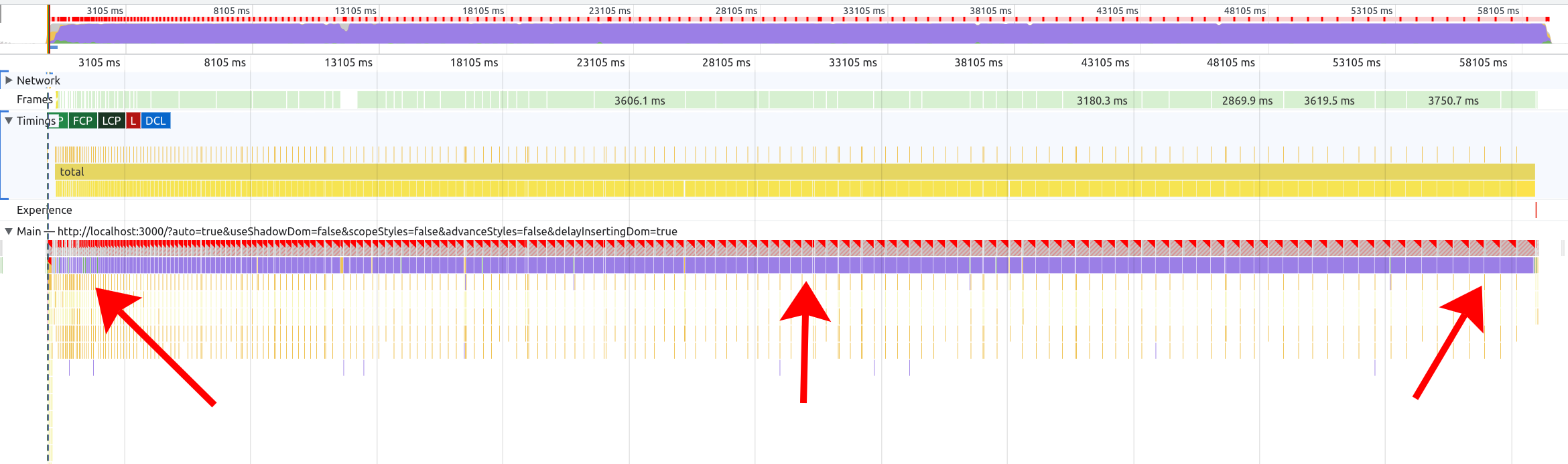
Even if you’ve been doing JavaScript for a while, you might be surprised to learn that setTimeout(0) is not really setTimeout(0). Instead, it could run 4 milliseconds later:

const start = performance.now()
setTimeout(() => {
  // Likely 4ms
  console.log(performance.now() - start)
}, 0)

Nearly a decade ago when I was on the Microsoft Edge team, it was explained to me that browsers did this to avoid “abuse.” I.e. there are a lot of websites out there that spam setTimeout, so to avoid draining the user’s battery or blocking interactivity, browsers set a special “clamped” minimum of 4ms.

This also explains why some browsers would bump the throttling for devices on battery power (16ms in the case of legacy Edge), or throttle even more aggressively for background tabs (1 second in Chrome!).

One question always vexed me, though: if setTimeout was so abused, then why did browsers keep introducing new timers like setImmediate (RIP), Promises, or even new fanciness like scheduler.postTask()? If setTimeout had to be nerfed, then wouldn’t these timers suffer the same fate eventually?

I wrote a long post about JavaScript timers back in 2018, but until recently I didn’t have a good reason to revisit this question. Then I was doing some work on fake-indexeddb, which is a pure-JavaScript implementation of the IndexedDB API, and this question reared its head. As it turns out, IndexedDB wants to auto-commit transactions when there’s no outstanding work in the event loop – in other words, after all microtasks have finished, but before any tasks (can I cheekily say “macro-tasks”?) have started.

To accomplish this, fake-indexeddb was using setImmediate in Node.js (which shares some similarities with the legacy browser version) and setTimeout in the browser. In Node, setImmediate is kind of perfect, because it runs after microtasks but immediately before any other tasks, and without clamping. In the browser, though, setTimeout is pretty sub-optimal: in one benchmark, I was seeing Chrome take 4.8 seconds for something that only took 300 milliseconds in Node (a 16x slowdown!).

Looking out at the timer landscape in 2025, though, it wasn’t obvious what to choose. Some options included:

  • setImmediate – only supported in legacy Edge and IE, so that’s a no-go.
  • MessageChannel.postMessage – this is the technique used by afterframe.
  • window.postMessage – a nice idea, but kind of janky since it might interfere with other scripts on the page using the same API. This approach is used by the setImmediate polyfill though.
  • scheduler.postTask – if you read no further, this was the winner. But let’s explain why!

To compare these options, I wrote a quick benchmark. A few important things about this benchmark:

  1. You have to run several iterations of setTimeout (and friends) to really suss out the clamping. Technically, per the HTML specification, the 4ms clamping is only supposed to kick in after a setTimeout has been nested (i.e. one setTimeout calls another) 5 times.
  2. I didn’t test every possible combination of 1) battery vs plugged in, 2) monitor refresh rates, 3) background vs foreground tabs, etc., even though I know all of these things can affect the clamping. I have a life, and although it’s fun to don the lab coat and run some experiments, I don’t want to spend my entire Saturday doing that.

In any case, here are the numbers (in milliseconds, median of 101 iterations, on a 2021 16-inch MacBook Pro):

Browser setTimeout MessageChannel window scheduler.postTask
Chrome 139 4.2 0.05 0.03 0.00
Firefox 142 4.72 0.02 0.01 0.01
Safari 18.4 26.73 0.52 0.05 Not implemented

Note: this benchmark was tricky to write! When I first wrote it, I used Promise.all to run all the timers simultaneously, but this seemed to defeat Safari’s nesting heuristics, and made Firefox’s fire inconsistently. Now the benchmark runs each timer independently.

Don’t worry about the precise numbers too much: the point is that Chrome and Firefox clamp setTimeout to 4ms, and the other three options are roughly equivalent. In Safari, interestingly, setTimeout is even more heavily throttled, and MessageChannel.postMessage is a tad slower than window.postMessage (although window.postMessage is still janky for the reasons listed above).

This experiment answered my immediate question: fake-indexeddb should use scheduler.postTask (which I prefer for its ergonomics) and fall back to either MessageChannel.postMessage or window.postMessage. (I did experiment with different priorities for postTask, but they all performed almost identically. For fake-indexeddb‘s use case, the default priority of 'user-visible' seemed most appropriate, and that’s what the benchmark uses.)

None of this answered my original question, though: why exactly do browsers bother to throttle setTimeout if web developers can just use scheduler.postTask or MessageChannel instead? I asked my friend Todd Reifsteck, who was co-chair of the Web Performance Working Group back when a lot of these discussions about “interventions” were underway.

He said that there were effectively two camps: one camp felt that timers needed to be throttled to protect web devs from themselves, whereas the other camp felt that developers should “measure their own silliness,” and that any subtle throttling heuristics would just cause confusion. In short, it was the standard tradeoff in designing performance APIs: “some APIs are quick but come with footguns.”

This jibes with my own intuitions on the topic. Browser interventions are usually put in place because web developers have either used too much of a good thing (e.g. setTimeout), or were blithely unaware of better options (the touch listener controversy is a good example). In the end, the browser is a “user agent” acting on the user’s behalf, and the W3C’s priority of constituencies makes it clear that end-user needs always trump web developer needs.

That said, web developers often do want to do the right thing. (I consider this blog post an attempt in that direction.) We just don’t always have the tools to do it, so instead we grab whatever blunt instrument is nearby and start swinging. Giving us more control over tasks and scheduling could avoid the need to hammer away with setTimeout and cause a mess that calls for an intervention.

My prediction is that postTask/postMessage will remain unthrottled for the time being. Out of Todd’s two “camps,” the very existence of the Scheduler API, which offers a whole slew of fine-grained tools for task scheduling, seems to point toward the “pro-control” camp as the one currently steering the ship. Although Todd sees the API more as a compromise between the two groups: yes, it offers a lot of control, but it also aligns with the browser’s actual rendering pipeline rather than random timeouts.

The pessimist in me wonders, though, if the API could still be abused – e.g. by carelessly using the user-blocking priority everywhere. Perhaps in the future, some enterprising browser vendor will put their foot more firmly on the throttle (so to speak) and discover that it causes websites to be snappier, more responsive, and less battery-draining. If that happens, then we may see another round of interventions. (Maybe we’ll need a scheduler2 API to dig ourselves out of that mess!)

I’m not involved much in web standards anymore and can only speculate. For the time being, I’ll just do what most web devs do: choose whatever API accomplishes my goals today, and hope that browsers don’t change too much in the future. As long as we’re careful and don’t introduce too much “silliness,” I don’t think that’s a lot to ask.

Thanks to Todd Reifsteck for feedback on a draft of this post.

Note: everything I said about setTimeout could also be said about setInterval. From the browser’s perspective, these are nearly the same APIs.

Note: for what it’s worth, fake-indexeddb is still falling back to setTimeout rather than MessageChannel or window.postMessage in Safari. Despite my benchmarks above, I was only able to get window.postMessage to outperform the other two in fake-indexeddb‘s own benchmark – Safari seems to have some additional throttling for MessageChannel that my standalone benchmark couldn’t suss out. And window.postMessage still seems error-prone to me, so I’m reluctant to use it. Here is my benchmark for those curious.

Why I’m skeptical of rewriting JavaScript tools in “faster” languages

I’ve written a lot of JavaScript. I like JavaScript. And more importantly, I’ve built up a set of skills in understanding, optimizing, and debugging JavaScript that I’m reluctant to give up on.

So maybe it’s natural that I get a worried pit in my stomach over the current mania to rewrite every Node.js tool in a “faster” language like Rust, Zig, Go, etc. Don’t get me wrong – these languages are cool! (I’ve got a copy of the Rust book on my desk right now, and I even contributed a bit to Servo for fun.) But ultimately, I’ve invested a ton of my career in learning the ins and outs of JavaScript, and it’s by far the language I’m most comfortable with.

So I acknowledge my bias (and perhaps over-investment in one skill set). But the more I think about it, the more I feel that my skepticism is also justified by some real objective concerns, which I’d like to cover in this post.

Performance

One reason for my skepticism is that I just don’t think we’ve exhausted all the possibilities of making JavaScript tools faster. Marvin Hagemeister has done an excellent job of demonstrating this, by showing how much low-hanging fruit there is in ESLint, Tailwind, etc.

In the browser world, JavaScript has proven itself to be “fast enough” for most workloads. Sure, WebAssembly exists, but I think it’s fair to say that it’s mostly used for niche, CPU-intensive tasks rather than for building a whole website. So why are JavaScript-based CLI tools rushing to throw JavaScript away?

The big rewrite

I think the perf gap comes from a few different things. First, there’s the aforementioned low-hanging fruit – for a long time, the JavaScript tooling ecosystem has been focused on building something that works, not something fast. Now we’ve reached a saturation point where the API surface is mostly settled, and everyone just wants “the same thing, but faster.” Hence the explosion of new tools that are nearly drop-in replacements for existing ones: Rolldown for Rollup, Oxlint for ESLint, Biome for Prettier, etc.

However, these tools aren’t necessarily faster because they’re using a faster language. They could just be faster because 1) they’re being written with performance in mind, and 2) the API surface is already settled, so the authors don’t have to spend development time tinkering with the overall design. Heck, you don’t even need to write tests! Just use the existing test suite from the previous tool.

In my career, I’ve often seen a rewrite from A to B resulting in a speed boost, followed by the triumphant claim that B is faster than A. However, as Ryan Carniato points out, a rewrite is often faster just because it’s a rewrite – you know more the second time around, you’re paying more attention to perf, etc.

Bytecode and JIT

The second class of performance gaps comes from the things browsers give us for free, and that we rarely think about: the bytecode cache and JIT (Just-In-Time compiler).

When you load a website for the second or third time, if the JavaScript is cached correctly, then the browser doesn’t need to parse and compile the source code into bytecode anymore. It just loads the bytecode directly off disk. This is the bytecode cache in action.

Furthermore, if a function is “hot” (frequently executed), it will be further optimized into machine code. This is the JIT in action.

In the world of Node.js scripts, we don’t get the benefits of the bytecode cache at all. Every time you run a Node script, the entire script has to be parsed and compiled from scratch. This is a big reason for the reported perf wins between JavaScript and non-JavaScript tooling.

Thanks to the inimitable Joyee Cheung, though, Node is now getting a compile cache. You can set an environment variable and immediately get faster Node.js script loads:

export NODE_COMPILE_CACHE=~/.cache/nodejs-compile-cache

I’ve set this in my ~/.bashrc on all my dev machines. I hope it makes it into the default Node settings someday.

As for JIT, this is another thing that (sadly) most Node scripts can’t really benefit from. You have to run a function before it becomes “hot,” so on the server side, it’s more likely to kick in for long-running servers than for one-off scripts.

And the JIT can make a big difference! In Pinafore, I considered replacing the JavaScript-based blurhash library with a Rust (Wasm) version, before realizing that the performance difference was erased by the time we got to the fifth iteration. That’s the power of the JIT.

Maybe eventually a tool like Porffor could be used to do an AOT (Ahead-Of-Time) compilation of Node scripts. In the meantime, though, JIT is still a case where native languages have an edge on JavaScript.

I should also acknowledge: there is a perf hit from using Wasm versus pure-native tools. So this could be another reason native tools are taking the CLI world by storm, but not necessarily the browser frontend.

Contributions and debuggability

I hinted at it earlier, but this is the main source of my skepticism toward the “rewrite it all in native” movement.

JavaScript is, in my opinion, a working-class language. It’s very forgiving of types (this is one reason I’m not a huge TypeScript fan), it’s easy to pick up (compared to something like Rust), and since it’s supported by browsers, there is a huge pool of people who are conversant with it.

For years, we’ve had both library authors and library consumers in the JavaScript ecosystem largely using JavaScript. I think we take for granted what this enables.

For one: the path to contribution is much smoother. To quote Matteo Collina:

Most developers ignore the fact that they have the skills to debug/fix/modify their dependencies. They are not maintained by unknown demigods but by fellow developers.

This breaks down if JavaScript library authors are using languages that are different (and more difficult!) than JavaScript. They may as well be demigods!

For another thing: it’s straightforward to modify JavaScript dependencies locally. I’ve often tweaked something in my local node_modules folder when I’m trying to track down a bug or work on a feature in a library I depend on. Whereas if it’s written in a native language, I’d need to check out the source code and compile it myself – a big barrier to entry.

(To be fair, this has already gotten a bit tricky thanks to the widespread use of TypeScript. But TypeScript is not too far from the source JavaScript, so you’d be amazed how far you can get by clicking “pretty print” in the DevTools. Thankfully most Node libraries are also not minified.)

Of course, this also leads us back to debuggability. If I want to debug a JavaScript library, I can simply use the browser’s DevTools or a Node.js debugger that I’m already familiar with. I can set breakpoints, inspect variables, and reason about the code as I would for my own code. This isn’t impossible with Wasm, but it requires a different skill set.

Conclusion

I think it’s great that there’s a new generation of tooling for the JavaScript ecosystem. I’m excited to see where projects like Oxc and VoidZero end up. The existing incumbents are indeed exceedingly slow and would probably benefit from the competition. (I get especially peeved by the typical eslint + prettier + tsc + rollup lint+build cycle.)

That said, I don’t think that JavaScript is inherently slow, or that we’ve exhausted all the possibilities for improving it. Sometimes I look at truly perf-focused JavaScript, such as the recent improvements to the Chromium DevTools using mind-blowing techniques like using Uint8Arrays as bit vectors, and I feel that we’ve barely scratched the surface. (If you really want an inferiority complex, see other commits from Seth Brenith. They are wild.)

I also think that, as a community, we have not really grappled with what the world would look like if we relegate JavaScript tooling to an elite priesthood of Rust and Zig developers. I can imagine the average JavaScript developer feeling completely hopeless every time there’s a bug in one of their build tools. Rather than empowering the next generation of web developers to achieve more, we might be training them for a career of learned helplessness. Imagine what it will feel like for the average junior developer to face a segfault rather than a familiar JavaScript Error.

At this point, I’m a senior in my career, so of course I have little excuse to cling to my JavaScript security-blanket. It’s part of my job to dig down a few layers deeper and understand how every part of the stack works.

However, I can’t help but feel like we are embarking down an unknown path with unintended consequences, when there is another path that is less fraught and could get us nearly the same results. The current freight train shows no signs of slowing down, though, so I guess we’ll find out when we get there.

The greatness and limitations of the js-framework-benchmark

I love the js-framework-benchmark. It’s a true open-source success story – a shared benchmark, with contributions from various JavaScript framework authors, widely cited, and used to push the entire JavaScript ecosystem forward. It’s a rare marvel.

That said, the benchmark is so good that it’s sometimes taken as the One True Measure of a web framework’s performance (or maybe even worth!). But like any metric, it has its flaws and limitations. Many of these limitations are well-known among framework authors like myself, but aren’t widely known outside a small group of experts.

In this post, I’d like to both celebrate the js-framework-benchmark for its considerable achievements, while also highlighting some of its quirks and limitations.

The greatness

First off, I want to acknowledge the monumental work that Stefan Krause has put into the js-framework-benchmark. It’s practically a one-man show – if you look into the commit history, it’s clear that Stefan has shouldered the main burden of maintaining the benchmark over time.

This is not a simple feat! A recent subtle issue with Chrome 124 shows just how much work goes into keeping even a simple benchmark humming across major browser releases.

So I don’t want anything in this post to come across as an attack on Stefan or the js-framework-benchmark. I am the king of burning out on open-source projects (PouchDB, Pinafore), so I have no leg to stand on to criticize an open-source maintainer with such tireless dedication. I can only sit in awe of Stefan’s accomplishment. I’m humbled and grateful.

If anything, this post should underscore how utterly the benchmark has succeeded under Stefan’s stewardship. Despite its flaws (as any benchmark would have), the js-framework-benchmark has become almost synonymous with “JavaScript framework performance.” To me, this is almost entirely due to Stefan’s diligence and attention to detail. Under different leadership, the benchmark may have been forgotten by now.

So within that context, I’d like to talk about the things the benchmark doesn’t measure, as well as the things it measures slightly differently from how folks might expect.

What does the benchmark do exactly?

First off, we have to understand what the js-framework-benchmark actually tests.

Screenshot saying VanillaJS keyed and showing buttons like add 10k rows, swap rows, and clear rows. There are multiple rows of data in a table, with boilerplate random text in each one

Screenshot of the vanillajs (i.e. baseline) “framework” in the js-framework-benchmark

To oversimplify, the core benchmark is:

  • Render a <table> with up to 10k rows
  • Add rows, mutate a row, remove rows, etc.

This is basically it. Frameworks are judged on how fast they can render 10k table rows, mutate a single row, swap some rows around, etc.

If this sounds like a very specific scenario, well… it kind of is. And this is where the main limitations of the benchmark come in. Let’s cover each one separately.

SSR and hydration

Most clearly, the js-framework-benchmark does not measure server-side rendering (SSR) or hydration. It is purely focused on client-side rendering (CSR).

This is fine, by the way! Plenty of web apps are pure-CSR Single-Page Apps (SPAs). And there are other benchmarks that do cover SSR, such as Marko’s isomorphic UI benchmarks.

This is just to say that, for frameworks that almost exclusively focus on the performance benefits they bring to SSR or hydration (such as Qwik or Astro), the js-framework-benchmark is not really going to tell you how they stack up to other frameworks. The main value proposition is just not represented here.

One big component

The js-framework-benchmark typically renders one big component. There are some exceptions, such as the vanillajs-wc “framework” using multiple web components. But in general, most of the frameworks you’ve heard of render one big component containing the entire table and all its rows and cells.

There is nothing inherently wrong with this. However, it means that any per-component overhead (such as the overhead inherent to web components, or the overhead of the framework’s component abstraction) is not captured in the benchmark. And of course, any future optimizations that frameworks might do to reduce per-component overhead will never win points on the js-framework-benchmark.

Again, this is fine. Sometimes the ideal implementation is “one big component.” However, it’s not very common, so this is something to be aware of when reading the benchmark results.

Optimized by framework authors

Framework authors are a competitive bunch. Even framework users are defensive about their chosen framework. So it’s no surprise that what you’re seeing in the js-framework-benchmark has been heavily optimized to put each framework in the best possible light.

Sometimes this is reasonable – after all, the benchmark should try to represent what a competent component author would write. In other cases… it’s more of a gray zone.

I don’t want to demonize any particular framework in this post. So I’m going to call out a few cases I’ve seen of this, including one from the framework I work on (LWC).

  • Svelte’s HTML was originally written in an awkward style designed to eliminate the overhead of inserting whitespace text nodes. To Svelte’s credit, the new Svelte v5 code does not have this issue.
  • Vue introduced the v-memo directive (at least in part) to improve their score on the js-framework-benchmark by minimizing the overhead of virtual DOM diffing in the “select row” test (i.e. updating one row out of 1k). However, this could be construed as unfair, since v-memo is an advanced directive that only performance-minded component authors are likely to use. Whereas other frameworks can be just as competitive with only idiomatic component authoring patterns.
  • Event delegation is a whole can of worms. Some frameworks (such as Solid and Svelte) do automatic event delegation, which boosts performance without requiring developer intervention. Other frameworks in the benchmark, such as Million and Lit, use manual delegation, which again is a bit unfair because it’s not something a component author will necessarily think to do. (The LWC component uses mild manual event delegation, by placing one listener on each row instead of two.) This can make a big difference in the benchmark, especially since the vanillajs “framework” (i.e. the baseline) uses event delegation, so you kind of have to do it to be truly competitive, unless you want to be penalized for adding 20k click listeners instead of one.

Again, none of this is necessarily good or bad. Event delegation is a worthy technique, v-memo is a great optimization for those who know to use it, and as a Svelte user I’ve even worked around the whitespace issue myself. Some of these points (such as event delegation) are even noted in the benchmark results. But I’d wager that most folks reading the benchmark are not aware of these subtleties.

10k rows is a lot

The benchmark renders 1k-10k table rows, with 7 elements inside each one. Then it tests mutating, removing, or swapping those rows.

Frameworks that do well on this scenario are (frankly) amazing. However, that doesn’t change the fact that this is a very weird scenario. If you are rendering 8k-80k DOM elements, then you should probably start thinking about pagination or virtualization (or at least content-visibility). Putting that many elements in the same component is also not something you see in most web apps.

Because this is such an atypical scenario, it also exaggerates the benefit of certain optimizations, such as the aforementioned event delegation. If you are attaching one event listener instead of 20k, then yes, you are going to be measurably faster. But should you really ever put yourself in a situation where you’re creating 20k event listeners on 80k DOM elements in the first place?

Chrome-only

One of my biggest pet peeves is when web developers only pay attention to Chrome while ignoring other browsers. Especially in performance discussions, statements like “Such-and-such DOM API is fast” or “The browser is slow at X,” where Chrome is merely implied, really irk me. This is something I railed against in my tenure on the Microsoft Edge team.

Focusing on one browser does kind of make sense in this case, though, since the js-framework-benchmark relies on some advanced Chromium APIs to run the tests. It also makes the results easier to digest, since there’s only one browser in play.

However, Chrome is not the only browser that exists (a fact that may surprise some web developers). So it’s good to be aware that this benchmark has nothing to say about Firefox or Safari performance.

Only measuring re-renders

As mentioned above, the js-framework-benchmark measures client-side rendering. Bundle size and memory usage are tracked as secondary measures, but they are not the main thing being measured, and I rarely see them mentioned. For most people, the runtime metrics are the benchmark.

Additionally, the bootstrap cost of a framework – i.e. the initial cost to execute the framework code itself – is not measured. Combine this with the lack of SSR/hydration coverage, and the js-framework-benchmark probably cannot tell you if a framework will tank your Largest Contentful Paint (LCP) or Total Blocking Time (TBT) scores, since it does not measure the first page load.

However, this lack of coverage for first-render goes even deeper. To avoid variance, the js-framework-benchmark does 5 “warmup” iterations before most tests. This means that many more first-render costs are not measured:

  • Pre-JITed (Just-In-Time compilation) performance
  • Initial one-time framework costs

For those unaware, JavaScript engines will JIT any code that they detect as “hot” (i.e. frequently executed). By doing 5 warmup iterations, we effectively skip past the pre-JITed phase and measure the JITed code directly. (This is also called “peak performance.”) However, the JITed performance is not necessarily what your users are experiencing, since every user has to experience the pre-JITed code before they can get to the JIT!

This second point above is also important. As mentioned in a previous post, lots of next-gen frameworks use a pattern where they set the innerHTML on a <template> once and then use cloneNode(true) after that. If you profile the js-framework-benchmark, you will find that this initial innerHTML (aka “Parse HTML”) cost is never measured, since it’s part of the one-time setup costs that occur during the “warmup” iterations. This gives these frameworks a slight advantage, since setting innerHTML (among other one-time setup costs) can be expensive.

Putting all this together, I would say that the js-framework-benchmark is comparable to the old DBMon benchmark – it is measuring client-side-heavy scenarios with frequent re-renders. (Think: a spreadsheet app, data dashboard, etc.) This is definitely not a typical use case, so if you are choosing your framework based on the js-framework-benchmark, you may be sorely disappointed if your most important perf metric is LCP, or if your SPA navigations tend to re-render the page from scratch rather than only mutate small parts of the page.

Conclusion

The js-framework-benchmark is amazing. It’s great that we have it, and I have personally used it to track performance improvements in LWC, and to gauge where we stack up against other frameworks.

However, the benchmark is just what it is: a benchmark. It is not real-world user data, it is not data from your own website or web app, and it does not cover every possible definition of the word “performance.”

Like all microbenchmarks, the js-framework-benchmark is useful for some things and completely irrelevant for others. However, because it is so darn good (rare for a microbenchmark!), it has often been taken as gospel, as the One True Measure of a framework’s speed (or its worth).

However, the fault does not really lie with the js-framework-benchmark. It is on us – the web developer community – to write other benchmarks to cover the scenarios that the js-framework-benchmark does not. It’s also on us framework authors to educate framework consumers (who might not have all this arcane knowledge!) about what a benchmark can tell you and what it cannot tell you.

In the browser world, we have several benchmarks: Speedometer, MotionMark, Kraken, SunSpider, Octane, etc. No one would argue that any of these are the One True Benchmark (although Speedometer comes close) – they all measure different things and are useful in different ways. My wish is that someday we could say the same for JavaScript framework benchmarks.

In the meantime, I will continue using and celebrating the js-framework-benchmark, while also being mindful that it is not the final word on web framework performance.

Web components are okay

Every so often, the web development community gets into a tizzy about something, usually web components. I find these fights tiresome, but I also see them as a good opportunity to reach across “the great divide” and try to find common ground rather than another opportunity to dunk on each other.

Ryan Carniato started the latest round with “Web Components Are Not the Future”. Cory LaViska followed up with “Web Components Are Not the Future — They’re the Present”. I’m not here to escalate, though – this is a peace mission.

I’ve been an avid follower of Ryan Carniato’s work for years. This post and the steady climb of LWC on the js-framework-benchmark demonstrate that I’ve been paying attention to what he has to say, especially about performance and framework design. The guy has single-handedly done more to move the web framework ecosystem forward in the past 5 years than anyone else I can think of.

That said, I also heavily work with web components, both on the framework side and as a component author. I’ve participated in the Web Components Community Group and Accessibility Object Model group, and I’ve written extensively on shadow DOM, custom elements, and web component accessibility in this blog.

So obviously I’m going to be interested when I see a post from Ryan Carniato on web components. And it’s a thought-provoking post! But I also think he misses the mark on a few things. So let’s dive in:

Performance

[T]he fundamental problem with Web Components is that they are built on Custom Elements.

[…] [E]very interface needs to go through the DOM. And of course this has a performance overhead.

This is completely true. If your goal is to build the absolute fastest framework you can, then you want to minimize DOM nodes wherever possible. This means that web components are off the table.

I fully believe that Ryan knows how to build the fastest possible framework. Again, the results for Solid on the js-framework-benchmark are a testament to this.

That said – and I might alienate some of my friends in the web performance community by saying this – performance isn’t everything. There are other tradeoffs in software development, such as maintainability, security, usability, and accessibility. Sometimes these things come into conflict.

To make a silly example: I could make DOM rendering slightly faster by never rendering any aria-* attributes. But of course sometimes you have to render aria-* attributes to make your interface accessible, and nobody would argue that a couple milliseconds are worth excluding screen reader users.

To make an even sillier example: you can improve performance by using for loops instead of .forEach(). Or using var instead of const/let. Typically, though, these kinds of micro-optimizations are just not worth it.

When I see this kind of stuff, I’m reminded of speedrunners trying to shave milliseconds off a 5-minute run of Super Mario Bros using precise inputs and obscure glitches. If that’s your goal, then by all means: backwards long jump across the entire stage instead of just having Mario run forward. I’ll continue to be impressed by what you’re doing, but it’s just not for me.

Minimizing the use of DOM nodes is a classic optimization – this is the main idea behind virtualization. That said, sometimes you can get away with simpler approaches, even if it’s not the absolute fastest option. I’d put “components as elements” in the same bucket – yes it’s sub-optimal, but optimal is not always the goal.

Similarly, I’ve long argued that it’s fine for custom elements to use different frameworks. Sometimes you just need to gradually migrate from Framework A to Framework B. Or you have to compose some micro-frontends together. Nobody would argue that this is the fastest possible interface, but fine – sometimes tradeoffs have to be made.

Having worked for a long time in the web performance space, I find that the lowest-hanging fruit for performance is usually something dumb like layout thrashing, network waterfalls, unnecessary re-renders, etc. Framework authors like myself love to play performance golf with things like the js-framework-benchmark, and it’s a great flex, but it just doesn’t usually matter in the real world.

That said, if it does matter to you – if you’re building for resource-constrained environments where every millisecond counts: great! Ditch web components! I will geek out and cheer for every speedrunning record you break.

The cost of standards

More code to ship and more code to execute to check these edge cases. It’s a hidden tax that impacts everyone.

Here’s where I completely get off the train from Ryan’s argument. As a framework author, I just don’t find that it’s that much effort to support web components. Detecting props versus attributes is a simple prop in element check. Outputting web components is indeed painful, but hey – nobody said you have to do it. Vue 2 got by with a standalone web component wrapper library, and Remount exists without any input from the React team.

As a framework author, if you want to freeze your thinking in 2011 and code as if nothing new was added to the web platform since then, you absolutely can! And you can still write a great framework! This is the beauty of the web. jQuery v1 is still chugging away on plenty of websites, and in fact it gets faster and faster with every new browser release, since browser perf teams are often targeting whatever patterns web developers used ~5 year ago in an endless cat-and-mouse game.

But assuming you don’t want to freeze your brain in amber, then yes: you do need to account for new stuff added to the web platform. But this is also true of things like Symbols, Proxys, Promises, etc. I just see it as part of the job, and I’m not particularly bothered, since I know that whatever I write will still work in 10 years, thanks to the web’s backwards compatibility guarantees.

Furthermore, I get the impression that a wide swath of the web development community does not care about web components, does not want to support them, and you probably couldn’t convince them to. And that’s okay! The web is a big tent, and you can build entire UIs based on web components, or with a sprinkling of HTML web components, or with none at all. If you want to declare your framework a “no web components” zone, then you can do that and still get plenty of avid fans.

That said, Ryan is right that, by blessing something as “the standard,” it inherently becomes a mental default that needs to be grappled with. Component authors must decide whether their <slot>s should work like native <slot>s. That’s true, but again, you could say this about a lot of new browser APIs. You have to decide whether IntersectionObserver or <img loading="lazy"> is worth it, or whether you’d rather write your own abstraction. That’s fine! At least we have a common point of reference, a shared vocabulary to compare and contrast things.

And just because something is a web standard doesn’t mean you have to use it. For the longest time, the classic joke about JavaScript: The Good Parts was how small it is compared to JavaScript: The Definitive Guide. The web is littered with deprecated (but still supported) APIs like document.domain, with, and <frame>s. Take it or leave it!

Conclusion

[I]n a sense there are nothing wrong with Web Components as they are only able to be what they are. It’s the promise that they are something that they aren’t which is so dangerous.

Here I totally agree with Ryan. As I’ve said before, web components are bad at a lot of things – Server-Side Rendering, accessibility, even interop in some cases. They’re good at plenty of things, but replacing all JavaScript frameworks is not one of them. Maybe we can check back in 10 years, but for now, there are still cases where React, Solid, Svelte, and friends shine and web components flounder.

Ryan is making an eminently reasonable point here, as is the rest of the post, and on its own it’s a good contribution to the discourse. The title is a bit inflammatory, which leads people to wield it as a bludgeon against their perceived enemies on social media (likely without reading the piece), but this is something I blame on social media, not on Ryan.

Again, I find these debates a bit tiresome. I think the fundamental issue, as I’ve previously said, is that people are talking past each other because they’re building different things with different constraints. It’s as if a salsa dancer criticized ballet for not being enough like salsa. There is more than one way to dance!

From my own personal experience: at Salesforce, we build a client-rendered app, with its own marketplace of components, with strict backwards-compatibility guarantees, where the intended support is measured in years if not decades. Is this you? If not, then maybe you shouldn’t build your entire UI out of web components, with shadow DOM and the whole kit-n-kaboodle. (Or maybe you should! I can’t say!)

What I find exciting about the web is the sheer number of people doing so many wild and bizarre things with it. It has everything from games to art projects to enterprise SaaS apps, built with WebGL and Wasm and Service Workers and all sorts of zany things. Every new capability added to the web platform isn’t a limitation on your creativity – it’s an opportunity to express your creativity in ways that nobody imagined before.

Web components may not be the future for you – that’s great! I’m excited to see what you build, and I might steal some ideas for my own corner of the web.

Update: Be sure to read Lea Verou’s and Baldur Bjarnason’s excellent posts on the topic.

Improving rendering performance with CSS content-visibility

Recently I got an interesting performance bug on emoji-picker-element:

I’m on a fedi instance with 19k custom emojis […] and when I open the emoji picker […], the page freezes for like a full second at least and overall performance stutters for a while after that.

If you’re not familiar with Mastodon or the Fediverse, different servers can have their own custom emoji, similar to Slack, Discord, etc. Having 19k (really closer to 20k in this case) is highly unusual, but not unheard of.

So I booted up their repro, and holy moly, it was slow:

Screenshot of Chrome DevTools with an emoji picker showing high ongoing layout/paint costs and 40,000 DOM nodes

There were multiple things wrong here:

  • 20k custom emoji meant 40k elements, since each one used a <button> and an <img>.
  • No virtualization was used, so all these elements were just shoved into the DOM.

Now, to my credit, I was using <img loading="lazy">, so those 20k images were not all being downloaded at once. But no matter what, it’s going to be achingly slow to render 40k elements – Lighthouse recommends no more than 1,400!

My first thought, of course, was, “Who the heck has 20k custom emoji?” My second thought was, “*Sigh* I guess I’m going to need to do virtualization.”

I had studiously avoided virtualization in emoji-picker-element, namely because 1) it’s complex, 2) I didn’t think I needed it, and 3) it has implications for accessibility.

I’ve been down this road before: Pinafore is basically one big virtual list. I used the ARIA feed role, did all the calculations myself, and added an option to disable “infinite scroll,” since some people don’t like it. This is not my first rodeo! I was just grimacing at all the code I’d have to write, and wondering about the size impact on my “tiny” ~12kB emoji picker.

After a few days, though, the thought popped into my head: what about CSS content-visibility? I saw from the trace that lots of time is spent in layout and paint, and plus this might help the “stuttering.” This could be a much simpler solution than full-on virtualization.

If you’re not familiar, content-visibility is a new-ish CSS feature that allows you to “hide” certain parts of the DOM from the perspective of layout and paint. It largely doesn’t affect the accessibility tree (since the DOM nodes are still there), it doesn’t affect find-in-page (+F/Ctrl+F), and it doesn’t require virtualization. All it needs is a size estimate of off-screen elements, so that the browser can reserve space there instead.

Luckily for me, I had a good atomic unit for sizing: the emoji categories. Custom emoji on the Fediverse tend to be divided into bite-sized categories: “blobs,” “cats,” etc.

Screenshot of emoji picker showing categories Bobs and Cats with different numbers of emoji in each but with eight columns in a grid for all

Custom emoji on mastodon.social.

For each category, I already knew the emoji size and the number of rows and columns, so calculating the expected size could be done with CSS custom properties:

.category {
  content-visibility: auto;
  contain-intrinsic-size:
    /* width */
    calc(var(--num-columns) * var(--total-emoji-size))
    /* height */
    calc(var(--num-rows) * var(--total-emoji-size));
}

These placeholders take up exactly as much space as the finished product, so nothing is going to jump around while scrolling.

The next thing I did was write a Tachometer benchmark to track my progress. (I love Tachometer.) This helped validate that I was actually improving performance, and by how much.

My first stab was really easy to write, and the perf gains were there… They were just a little disappointing.

For the initial load, I got a roughly 15% improvement in Chrome and 5% in Firefox. (Safari only has content-visibility in Technology Preview, so I can’t test it in Tachometer.) This is nothing to sneeze at, but I knew a virtual list could do a lot better!

So I dug a bit deeper. The layout costs were nearly gone, but there were still other costs that I couldn’t explain. For instance, what’s with this big undifferentiated blob in the Chrome trace?

Screenshot of Chrome DevTools with large block of JavaScript time called "mystery time"

Whenever I feel like Chrome is “hiding” some perf information from me, I do one of two things: bust out chrome:tracing, or (more recently) enable the experimental “show all events” option in DevTools.

This gives you a bit more low-level information than a standard Chrome trace, but without needing to fiddle with a completely different UI. I find it’s a pretty good compromise between the Performance panel and chrome:tracing.

And in this case, I immediately saw something that made the gears turn in my head:

Screenshot of Chrome DevTools with previous mystery time annotated as ResourceFetcher::requestResource

What the heck is ResourceFetcher::requestResource? Well, even without searching the Chromium source code, I had a hunch – could it be all those <img>s? It couldn’t be, right…? I’m using <img loading="lazy">!

Well, I followed my gut and simply commented out the src from each <img>, and what do you know – all those mystery costs went away!

I tested in Firefox as well, and this was also a massive improvement. So this led me to believe that loading="lazy" was not the free lunch I assumed it to be.

Update: I filed a bug on Chromium for this issue. After more testing, it seems I was mistaken about Firefox – this looks like a Chromium-only issue.

At this point, I figured that if I was going to get rid of loading="lazy", I may as well go whole-hog and turn those 40k DOM elements into 20k. After all, if I don’t need an <img>, then I can use CSS to just set the background-image on an ::after pseudo-element on the <button>, cutting the time to create those elements in half.

.onscreen .custom-emoji::after {
  background-image: var(--custom-emoji-background);
}

At this point, it was just a simple IntersectionObserver to add the onscreen class when the category scrolled into view, and I had a custom-made loading="lazy" that was much more performant. This time around, Tachometer reported a ~40% improvement in Chrome and ~35% improvement in Firefox. Now that’s more like it!

Note: I could have used the contentvisibilityautostatechange event instead of IntersectionObserver, but I found cross-browser differences, and plus it would have penalized Safari by forcing it to download all the images eagerly. Once browser support improves, though, I’d definitely use it!

I felt good about this solution and shipped it. All told, the benchmark clocked a ~45% improvement in both Chrome and Firefox, and the original repro went from ~3 seconds to ~1.3 seconds. The person who reported the bug even thanked me and said that the emoji picker was much more usable now.

Something still doesn’t sit right with me about this, though. Looking at the traces, I can see that rendering 20k DOM nodes is just never going to be as fast as a virtualized list. And if I wanted to support even bigger Fediverse instances with even more emoji, this solution would not scale.

I am impressed, though, with how much you get “for free” with content-visibility. The fact that I didn’t need to change my ARIA strategy at all, or worry about find-in-page, was a godsend. But the perfectionist in me is still irritated by the thought that, for maximum perf, a virtual list is the way to go.

Maybe eventually the web platform will get a real virtual list as a built-in primitive? There were some efforts at this a few years ago, but they seem to have stalled.

I look forward to that day, but for now, I’ll admit that content-visibility is a good rough-and-ready alternative to a virtual list. It’s simple to implement, gives a decent perf boost, and has essentially no accessibility footguns. Just don’t ask me to support 100k custom emoji!

Reliable JavaScript benchmarking with Tachometer

Writing good benchmarks is hard. Even if you grasp the basics of performance timings and measurements, it’s easy to fool yourself:

  • You weren’t measuring what you thought you were measuring.
  • You got the answer you wanted, so you stopped looking.
  • You didn’t clean state between tests, so you were just measuring the cache.
  • You didn’t understand how JavaScript engines work, so it optimized away your code.

Et cetera, et cetera. Anyone who’s been doing web performance long enough probably has a story about how they wrote a benchmark that gave them some satisfying result, only to realize later that they flubbed some tiny detail that invalidated the whole thing. It can be crushing.

For years now, though, I’ve been using Tachometer for most browser-based benchmarks. It’s featured in this blog a few times, although I’ve never written specifically about it.

Tachometer doesn’t make benchmarking totally foolproof, but it does automate a lot of the trickiest bits. What I like best is that it:

  1. Runs iterations until it reaches statistical significance.
  2. Alternates between two scenarios in an interleaved fashion.
  3. Launches a fresh browser profile between each iteration.

To be concrete, let’s say you have two scenarios you want to test: A and B. For Tachometer, these can simply be two web pages:

<!-- a.html -->
<script>
  scenarioA()
</script>
<!-- b.html -->
<script>
  scenarioB()
</script>

The only requirement is that you have something to measure, e.g. a performance measure:

function scenarioA() { // or B
  performance.mark('start')
  doStuff()
  performance.measure('total', 'start')
}

Now let’s say you want to know whether scenarioA or scenarioB is faster. Tachometer will essentially do the following:

  1. Load a.html.
  2. Load b.html.
  3. Repeat steps 1-2 until reaching statistical confidence that A and B are different enough (e.g. 1% different, 10% different, etc.).

This has several nice properties:

  1. Environment-specific variance is removed. Since you’re running A and B at the same time, on the same machine, in an interleaved fashion, it’s very unlikely that some environmental quirk will cause A to be artificially different from B.
  2. You don’t have to guess how many iterations are “enough” – the statistical test does that for you.
  3. The browser is fresh between each iteration, so you’re not just measuring cached/JITed performance.

That said, there are several downsides to this approach:

  1. The less different A and B are, the longer the tool will take to tell you that there’s no difference. In a CI environment, this is basically a nonstarter, because 99% of PRs don’t affect performance, and you don’t want to spend hours of CI time just to find out that updating the README didn’t regress anything.
  2. As mentioned, you’re not measuring JITed time. Sometimes you want to measure that, though. In that case, you have to run your own iterations-within-iterations (e.g. a for-loop) to avoid measuring the pre-JITed time.
  3. …Which you may end up doing anyway, because the tool tends to work best when your iterations take a large enough chunk of time. In my experience, a minimum of 50ms is preferable, although throttling can help you get there.

Tachometer also lacks any kind of visualization of performance changes over time, although there is a good GitHub action that can report the difference between a PR and your main branch. (Although again, you might not want to run it on every PR.)

The way I typically use Tachometer is to run one-off benchmarks, for instance when I’m doing some kind of cross-browser performance analysis. I often generate the config files rather than hand-authoring them, since they can be a bit repetitive.

Also, I only use Tachometer for browser or JavaScript tests – for anything else, I’d probably look into Hyperfine. (Haven’t used it, but heard good things about it.)

Tachometer has served me well for a long time, and I’m a big fan. The main benefit I’ve found is just the consistency of its results. I’ve been surprised how many times it’s consistently reported some odd regression (even in the ~1% range), which I can then track down with a git bisect to find the culprit. It’s also great for validating (or debunking) proposed perf optimizations.

Like any tool, Tachometer definitely has its flaws, and it’s still possible to fool yourself with it. But until I find a better tool, this is my go-to for low-level JavaScript microbenchmarks.

Bonus tip: running Tachometer in --manual mode with the DevTools performance tab is a great way to validate that you’re measuring what you think you’re measuring. Pay attention to the “User Timings” section to ensure your timings line up with what you expect.

Rebuilding emoji-picker-element on a custom framework

In my last post, we went on a guided tour of building a JavaScript framework from scratch. This wasn’t just an intellectual exercise, though – I actually had a reason for wanting to build my own framework.

For a few years now, I’ve been maintaining emoji-picker-element, which is designed as a fast, simple, and lightweight web component that you can drop onto any page that needs an emoji picker.

Screenshot of an emoji picker showing a search box and a grid of emoji

Most of the maintenance work has been about simply keeping pace with the regular updates to the Unicode standard to add new emoji versions. (Shout-out to Emojibase for providing a stable foundation to build on!) But I’ve also worked to keep up with the latest Svelte versions, since emoji-picker-element is based on Svelte.

The project was originally written in Svelte v3, and the v4 upgrade was nothing special. The v5 upgrade was only slightly more involved, which is astounding given that the framework was essentially rewritten from scratch. (How Rich and the team managed to pull this off boggles my mind.)

I should mention at this point that I think Svelte is a great framework, and a pleasure to work with. It’s probably my favorite JavaScript framework (other than the one I work on!). That said, a few things bugged me about the Svelte v5 upgrade:

  • It grew emoji-picker-element‘s bundle size by 7.1kB minified (it was originally a bit more, but Dominic Gannaway graciously made improvements to the tree-shaking).
  • It dropped support for older browsers due to syntax changes, in particular Safari 12 (which is 0.25-0.5% of browsers depending on who you ask).

Now, neither of these things really ought to be a dealbreaker. 7.1kB is not a huge amount for the average webapp, and an emoji picker should probably be lazy-loaded most of the time anyway. Also, Safari 12 might not be worth worrying about (and if it is, it won’t be in a couple years).

I also don’t think there’s anything wrong with building a standalone web component on top of a JavaScript framework – I’ve said so in the past. There are lots of fiddly bits that are hard to get right when you’re building a web component, and 99 times out of 100, you’re much better off using something like Svelte, or Lit, or Preact, or petite-vue, than to try to wing it yourself in Vanilla JS and building a half-baked framework in the process.

That said… I enjoy building a half-baked framework. And I have a bit of a competitive streak that makes me want to trim the bundle size as much as possible. So I decided to take this as an opportunity to rebuild emoji-picker-element on top of my own custom framework.

The end result is more or less what you saw in the previous post: a bit of reactivity, a dash of tagged template literals, and poof! A new framework is born.

This new framework is honestly only slightly more complex than what I sketched out in that post – I ended up only needing 85 lines of code for the reactivity engine and 233 for the templating system (as measured by cloc).

Of course, to get this minuscule size, I had to take some shortcuts. If this were an actual framework I was releasing to the world, I would need to handle a long tail of edge cases, perf hazards, and gnarly tradeoffs. But since this framework only needs to support one component, I can afford to cut some corners.

So does this tiny framework actually cut the mustard? Here are the results:

  • The bundle size is 6.1kB smaller than the current implementation (and ~13.2kB smaller than the Svelte 5 version).
  • Safari 12 is still supported (without needing code transforms).
  • There is no regression in runtime performance (as measured by Tachometer).
  • Initial memory usage is reduced by 140kB.

Here are the stats:

Metric Svelte v4 Svelte v5 Custom
Bundle size (min) 42.6kB 49.7kB 36.5kB
↳ Delta +7.1kB (+17%) -6.1kB (-14%)
Bundle size (min+gz) 14.9kB 18.8kB 12.6kB
↳ Delta +3.9kB (+26%) -2.3kB (-15%)
Initial memory usage 1.23MB 1.5MB 1.09MB
↳ Delta +270kB (+22%) -140kB (-11%)

Note: I’m not trying to say that Svelte 5 is bad, or that I’m smarter than the Svelte developers. As mentioned above, the only way I can get these fantastic numbers is by seriously cutting a lot of corners. And I actually really like the new features in Svelte v5 (snippets in particular are amazing, and the benchmark performance is truly impressive). I also can’t fault Svelte for focusing on their most important consumers, who are probably building entire apps out of Svelte components, and don’t care much about a higher baseline bundle size.

So was it worth it? I dunno. Maybe I will get a flood of bug reports after I ship this, and I will come crawling back to Svelte. Or maybe I will find that it’s too hard to add new features without the flexibility of a full framework. But I doubt it. I enjoyed building my own framework, and so I think I’ll keep it around just for the fun of it.

Side projects for me are always about three things: 1) learning, 2) sharing something with the world, and 3) having fun while doing so. emoji-picker-element ticks all three boxes for me, so I’m going to stick with the current design for the time being.

My talk on CSS runtime performance

A few months ago, I gave a talk on CSS performance at performance.now in Amsterdam. The recording is available online:

(You can also read the slides.)

This is one of my favorite talks I’ve ever given. It was the product of months (honestly, years) of research, prompted by a couple questions:

  1. What is the fastest way to implement scoped styles? (Surprisingly few people seem to ask this question.)
  2. Does using shadow DOM improve style performance? (Short answer: yes.)

To answer these questions (and more), I did a bunch of research into how browsers work under the hood. This included combing through old Servo discussions from 2013, reaching out to browser developers like Manuel Rego Casasnovas and Emilio Cobos Alvarez, reading browser PRs, and writing lots of benchmarks.

In the end, I’m pretty satisfied with the talk. My main goal was to shine a light on all the heroic work that browser vendors have done over the years to make CSS so performant. Much of this stuff is intricate and arcane (like Bloom filters), but I hoped that with some simple diagrams and animations, I could bring this work to life.

The two outcomes I’d love to see from this talk are:

  1. Web developers spend more time thinking about and measuring CSS performance. (Pssst, check out the SelectorStats section of my guide to Chrome tracing!)
  2. Browser vendors provide better DevTools to understand CSS performance. (In the talk, I pitch this as a SQL EXPLAIN for CSS.)

What I didn’t want to do in this talk was rain on anybody’s parade who is trying to do sophisticated things with CSS. More and more, I am seeing ambitious usage of new CSS features like :has and container queries, and I don’t want people to feel like they should avoid these techniques and limit themselves to classes and IDs. I just want web developers to consider the cost of CSS, and to get more comfortable with using the DevTools to understand which kinds of CSS patterns may be slowing down their website.

I also got some good feedback from browser DevTools folks after my talk, so I’m hopeful for the future of CSS performance. As techniques like shadow DOM and native CSS scoping become more widespread, it may even mitigate a lot of my worries about CSS perf. In any case, it was a fascinating topic to research, and I hope that folks were intrigued and entertained by my talk.

A beginner’s guide to Chrome tracing

I’ve been doing web performance for a while, so I’ve spent a lot of time in the Performance tab of the Chrome DevTools. But sometimes when you’re debugging a tricky perf problem, you have to go deeper. That’s where Chrome tracing comes in.

Chrome tracing (aka Chromium tracing) lets you record a performance trace that captures low-level details of what the browser is doing. It’s mostly used by Chromium engineers themselves, but it can also be helpful for web developers when a DevTools trace is not enough.

This post is a short guide on how to use this tool, from a web developer’s point of view. I’m not going to cover everything – just the bare minimum to get up and running.

Setup

First off, as described in this helpful post, you’re going to want a clean browser window. The tracing tool measures everything going on in the browser, including background tabs and extensions, which just adds unnecessary noise.

You can launch a fresh Chrome window using this command (on Linux):

google-chrome \
  --user-data-dir="$(mktemp -d)" --disable-extensions

Or on macOS:

/Applications/Google\ Chrome.app/Contents/MacOS/Google\ Chrome \
  --user-data-dir="$(mktemp -d)" --disable-extensions

Or if you’re lazy (like me), you can install a standalone browser like Chrome Canary and run that.

Record

Next, go to about:tracing in the URL bar. (chrome:tracing or edge:tracing will also work, depending on your browser.) You’ll see a screen like this:

Screenshot of tracing tool with arrow pointing at Record

Click “Record.”

Next, you’ll be given a bunch of options. Here’s where it gets interesting.

Screenshot of tracing tools showing Edit categories with an arrow pointing at it

Usually “Web developer” is a fine default. But sometimes you want extra information, which you can get by clicking “Edit categories.” Here are some of the “cheat codes” I’ve discovered:

  • Check blink.user_timing to show user timings (i.e. performance.measures) in the trace. This is incredibly helpful for orienting yourself in a complex trace.
  • Check blink.debug to get SelectorStats, i.e. stats on slow CSS selectors during style calculation.
  • Check v8.runtime_stats for low-level details on what V8 is doing.

Note that you probably don’t want to go in here and check boxes with wild abandon. That will just make the trace slower to load, and could crash the tab. Only check things you think you’ll actually be using.

Next, click “Record.”

Now, switch over to another tab and do whatever action you want to record – loading a page, clicking a button, etc. Note that if you’re loading a page, it’s a good idea to start from about:blank to avoid measuring the unload of the previous page.

When you’re done recording, switch back and click “Stop.”

Analyze

Screenshot of tracing tool showing arrows pointing at Processes, None, and the Renderer process

In the tracing UI, the first thing you’ll want to do is remove the noise. Click “Processes,” then “None,” then select only the process you’re interested in. It should say “Renderer” plus the title of the tab where you ran your test.

Moving around the UI can be surprisingly tricky. Here is what I usually do:

  • Use the WASD keys to move left, right, or zoom in and out. (If you’ve played a lot of first-person shooters, you should feel right at home.)
  • Click-and-drag on any empty space to pan around.
  • Use the mousewheel to scroll up and down. Use /Alt + mousewheel to zoom in and out.

You’ll want to locate the CrRendererMain thread. This is the main thread of the renderer process. Under “Ungrouped Measure,” you should see any user timings (i.e. performance.measures) that you took in the trace.

In this example, I’ve located the Document::updateStyle slice (i.e. style calculation), as well as the SelectorStats right afterward. Below, I have a detailed table that I can click to sort by various columns. (E.g. you can sort by the longest elapsed time.)

Screenshot of tracing tool with arrows pointing to CrRendererMain, UpdateStyle, SelectorStats, and table of selectors

Note that I have a performance.measure called “total” in the above trace. (You can name it whatever you want.)

General strategy

I mostly use Chrome tracing when there’s an unexplained span of time in the DevTools. Here are some cases where I’ve seen it come in handy:

  • Time spent in IndexedDB (the IndexedDB flag can be helpful here).
  • Time spent in internal subsystems, such as accessibility or spellchecking.
  • Understanding which CSS selectors are slowest (see SelectorStats above).

My general strategy is to first run the tool with the default settings (plus blink.user_timing, which I almost always enable). This alone will often tell you more than the DevTools would.

If that doesn’t provide enough detail, I try to guess which subsystem of the browser has a performance problem, and tick flags related to that subsystem when recording. (For instance, skia is related to rendering, blink_style and blink.invalidation are probably related to style invalidation, etc.) Unfortunately this requires some knowledge of Chromium’s internals, along with a lot of guesswork.

When in doubt, you can always file a bug on Chromium. As long as you have a consistent repro, and you can demonstrate that it’s a Chromium-only perf problem, then the Chromium engineers should be able to route it to the right team.

Conclusion

The Chrome tracing tool is incredibly complex, and it’s mostly designed for browser engineers. It can be daunting for a web developer to pick up and use. But with a little practice, it can be surprisingly helpful, especially in odd perf edge cases.

There is also a new UI called Perfetto that some may find easier to use. I’m a bit old-school, though, so I still prefer the old UI for now.

I hope this short guide was helpful if you ever find yourself stuck with a performance problem in Chrome and need more insight into what’s going on!

See also: “Chrome Tracing for Fun and Profit” by Jeremy Rose.

Style performance and concurrent rendering

I was fascinated recently by “Why we’re breaking up with CSS-in-JS” by Sam Magura. It’s a great overview of some of the benefits and downsides of the “CSS-in-JS” pattern, as implemented by various libraries in the React ecosystem.

What really piqued my curiosity, though, was a link to this guide by Sebastian Markbåge on potential performance problems with CSS-in-JS when using concurrent rendering, a new feature in React 18.

Here is the relevant passage:

In concurrent rendering, React can yield to the browser between renders. If you insert a new rule in a component, then React yields, the browser then have to see if those rules would apply to the existing tree. So it recalculates the style rules. Then React renders the next component, and then that component discovers a new rule and it happens again.

This effectively causes a recalculation of all CSS rules against all DOM nodes every frame while React is rendering. This is VERY slow.

This concept was new and confusing to me, so I did what I often do in these cases: I wrote a benchmark.

Let’s benchmark it!

This benchmark is similar to my previous shadow DOM vs style scoping benchmark, with one twist: instead of rendering all “components” in one go, we render each one in its own requestAnimationFrame. This is to simulate a worst-case scenario for React concurrent rendering – where React yields between each component render, allowing the browser to recalculate style and layout.

In this benchmark, I’m rendering 200 “components,” with three kinds of stylesheets: unscoped (i.e. the most unperformant CSS I can think of), scoped-ala-Svelte (i.e. adding classes to every selector), and shadow DOM.

The “unscoped” CSS tells the clearest story:

Screenshot of Chrome DevTools showing style/layout calculation costs steadily increasing over time

In this Chrome trace, you can see that the style calculation costs steadily increase as each component is rendered. This seems to be exactly what Markbåge is talking about:

When you add or remove any CSS rules, you more or less have to reapply all rules that already existed to all nodes that already existed. Not just the changed ones. There are optimizations in browsers but at the end of the day, they don’t really avoid this problem.

In other words: not only are we paying style costs as every component renders, but those costs actually increase over time.

If we batch all of our style insertions before the components render, though, then we pay much lower style costs on each subsequent render:

Screenshot of Chrome DevTools, showing low and roughly consistent style/layout calculation costs over time

To me, this is similar to layout thrashing. The main difference is that, with “classic” layout thrashing, you’re forcing a style/layout recalculation by calling some explicit API like getBoundingClientRect or offsetLeft. Whereas in this case, you’re not explicitly invoking a recalc, but instead implicitly forcing a recalc by yielding to the browser’s normal style/layout rendering loop.

I’ll also note that the second scenario could still be considered “layout thrashing” – the browser is still doing style/layout work on each frame. It’s just doing much less, because we’ve only invalidated the DOM elements and not the CSS rules.

Update: This benchmark does not perfectly simulate how React renders DOM nodes – see below for a slightly tweaked benchmark. The conclusion is still largely the same.

Here are the benchmark results for multiple browsers (200 components, median of 25 samples, 2014 Mac Mini):

Chart data, see table below

Click for table
Scenario Chrome 106 Firefox 106 Safari 16
Unscoped 20807.3 13589 14958
Unscoped – styles in advance 3392.5 3357 3406
Scoped 3330 3321 3330
Scoped – styles in advance 3358.9 3333 3339
Shadow DOM 3366.4 3326 3327

As you can see, injecting the styles in advance is much faster than the pay-as-you-go system: 20.8s vs 3.4s in Chrome (and similar for other browsers).

It also turns out that using scoped CSS mitigates the problem – there is little difference between upfront and per-component style injection. And shadow DOM doesn’t have a concept of “upfront styles” (the styles are naturally scoped and attached to each component), so it benefits accordingly.

Is scoping a panacea?

Note though, that scoping only mitigates the problem. If we increase the number of components, we start to see the same performance degradation:

Screenshot of Chrome DevTools showing style/layout calculation costs steadily getting worse over time, although not as bad as in the other screenshot

Here are the benchmark results for 500 components (skipping “unscoped” this time around – I didn’t want to wait!):

Chart data, see table below

Click for table
Scenario Chrome 106 Firefox 106 Safari 16
Scoped 12490.6 8972 11059
Scoped – styles in advance 8413.4 8824 8561
Shadow DOM 8441.6 8949 8695

So even with style scoping, we’re better off injecting the styles in advance. And shadow DOM also performs better than “pay-as-you-go” scoped styles, presumably because it’s a browser-native scoping mechanism (as opposed to relying on the browser’s optimizations for class selectors). The exception is Firefox, which (in a recurring theme), seems to have some impressive optimizations in this area.

Is this something browsers could optimize more? Possibly. I do know that Chromium already weighs some tradeoffs with optimizing for upfront rendering vs re-rendering when stylesheets change. And Firefox seems to perform admirably with whatever CSS we throw at it.

So if this “inject and yield” pattern were prevalent enough on the web, then browsers might be incentivized to target it. But given that React concurrent rendering is somewhat new-ish, and given that the advice from React maintainers is already to batch style insertions, this seems somewhat unlikely to me.

Considering concurrent rendering

Unmentioned in either of the above posts is that this problem largely goes away if you’re not using concurrent rendering. If you do all of your DOM writes in one go, then you can’t layout thrash unless you’re explicitly calling APIs like getBoundingClientRect – which would be something for component authors to avoid, not for the framework to manage.

(Of course, in a long-lived web app, you could still have steadily increasing style costs as new CSS is injected and new components are rendered. But it seems unlikely to be quite as severe as the “rAF-based thrashing” above.)

I assume this, among other reasons, is why many non-React framework authors are skeptical of concurrent rendering. For instance, here’s Evan You (maintainer of Vue):

The pitfall here is not realizing that time slicing can only slice “slow render” induced by the framework – it can’t speed up DOM insertions or CSS layout. Also, staying responsive != fast. The user could end up waiting longer overall due to heavy scheduling overhead.

(Note that “time slicing” was the original name for concurrent rendering.)

Or for another example, here’s Rich Harris (maintainer of Svelte):

It’s not clear to me that [time slicing] is better than just having a framework that doesn’t have these bottlenecks in the first place. The best way to deliver a good user experience is to be extremely fast.

I feel a bit torn on this topic. I’ve seen the benefits of a “time slicing” or “debouncing” approach even when building Svelte components – for instance, both emoji-picker-element and Pinafore use requestIdleCallack (as described in this post) to improve responsiveness when typing into the text inputs. I found this improved the “feel” when typing, especially on a slower device (e.g. using Chrome DevTool’s 6x CPU throttling), even though both were written in Svelte. Svelte’s JavaScript may be fast, but the fastest JavaScript is no JavaScript at all!

That said, I’m not sure if this is something that should be handled by the framework rather than the component author. Yielding to the browser’s rendering loop is very useful in certain perf-sensitive scenarios (like typing into a text input), but in other cases it can worsen the overall performance (as we see with rendering components and their styles).

Is it worth it for the framework to make everything concurrent-capable and try to get the best of both worlds? I’m not so sure. Although I have to admire React for being bold enough to try.

Afterword

After this post was published, Mark Erikson wrote a helpful comment pointing out that inserting DOM nodes is not really something React does during “renders” (at least, in the context of concurrent rendering). So the benchmark would be more accurate if it inserted <style> nodes (as a “misbehaving” CSS-in-JS library would), but not component nodes, before yielding to the browser.

So I modified the benchmark to have a separate mode that delays inserting component DOM nodes until all components have “rendered.” To make it a bit fairer, I also pre-inserted the same number of initial components (but without style) – otherwise, the injected CSS rules wouldn’t have many DOM nodes to match against, so it wouldn’t be terribly representative of a real-world website.

As it turns out, this doesn’t really change the conclusion – we still see gradually increasing style costs in a “layout thrashing” pattern, even when we’re only inserting <style>s between rAFs:

Chrome DevTools screenshot showing gradually increasing style costs over time

The main difference is that, when we front-load the style injections, the layout thrashing goes away entirely, because each rAF tick is neither reading from nor writing to the DOM. Instead, we have one big style cost at the start (when injecting the styles) and another at the end (when injecting the DOM nodes):

Chrome DevTools screenshot showing large purple style blocks at the beginning and end and little JavaScript slices in the middle

(In the above screenshot, the occasional purple slices in the middle are “Hit testing” and “Pre-paint,” not style or layout calculation.)

Note that this is still a teensy bit inaccurate, because now our rAF ticks aren’t doing anything, since this benchmark isn’t actually using React or virtual DOM. In a real-world example, there would be some JavaScript cost to running a React component’s render() function.

Still, we can run the modified benchmark against the various browsers, and see that the overall conclusion has not changed much (200 components, median of 25 samples, 2014 Mac Mini):

Chart data, see table below

Click for table
Scenario Chrome 106 Firefox 106 Safari 16
Unscoped 26180 17622 17349
Unscoped – styles in advance 3958.3 3663 3945
Scoped 3394.6 3370 3358
Scoped – styles in advance 3476.7 3374 3368
Shadow DOM 3378 3370 3408

So the lesson still seems to be: invalidating global CSS rules frequently is a performance anti-pattern. (Even moreso than inserting DOM nodes frequently!)

Afterword 2

I asked Emilio Cobos Álvarez about this, and he gave some great insights from the Firefox perspective:

We definitely have optimizations for that […] but the worst case is indeed “we restyle the whole document again”.

Some of the optimizations Firefox has are quite clever. For example, they optimize appending stylesheets (i.e. appending a new <style> to the <head>) more heavily than inserting (i.e. injecting a <style> between other <style>s) or deleting (i.e. removing a <style>).

Emilio explains why:

Since CSS is source-order dependent, insertions (and removals) cause us to rebuild all the relevant data structures to preserve ordering, while appends can be processed more easily.

Some of this work was apparently done as part of optimizations for Facebook.com back in 2017. I assume Facebook was appending a lot of <style>s, but not inserting or deleting (which makes sense – this is the dominant pattern I see in JavaScript frameworks today).

Firefox also has some specific optimizations for classes, IDs, and tag names (aka “local names”). But despite their best efforts, there are cases where everything needs to be marked as invalid.

So as a web developer, keeping a mental model of “when styles change, everything must be recalculated” is still accurate, at least for the worst case.